%20copy%202.jpg)
Building a landing page used to mean hiring a designer or waiting on a developer. AI has revolutionized the tech world, but not every AI landing page builder drives real results.
Some promise drag-and-drop simplicity but lack the conversion impact. Others just overwhelm you with features you'll never use.
We tested 10 AI landing page generators to see which ones balance speed, mobile performance, and conversion output.
Let's dive in 👇
Top 10 AI landing page builders at a glance
Ready to find the best AI landing page builder for your workflow?
This comparison covers pricing, features, integrations, and conversion performance across the top 10 tools.
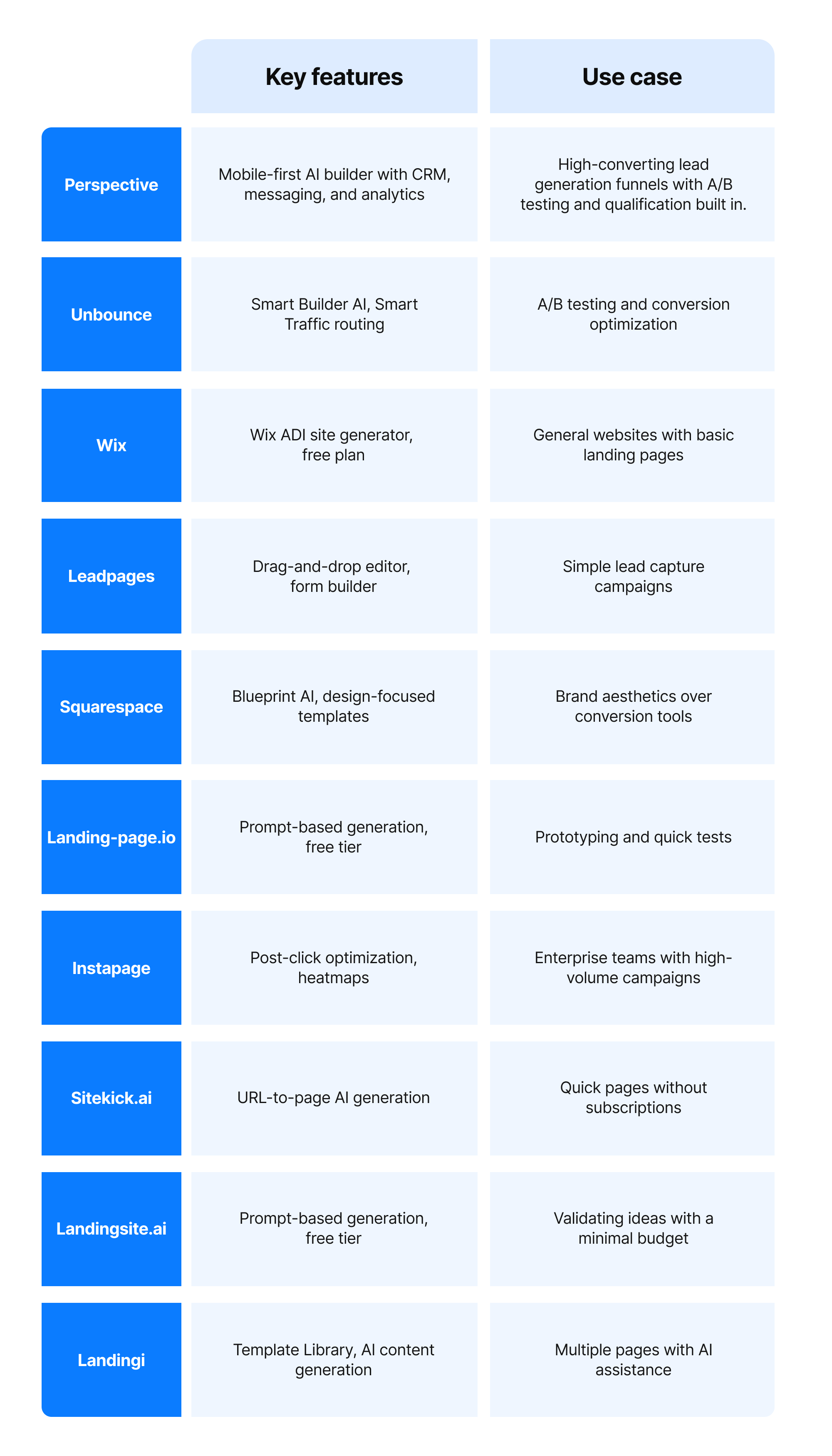
Tables are useful, but they only tell part of the story.
The next step is testing an AI landing page builder on your own traffic.
10 best AI landing page builders: in detail
Here's how each AI landing page builder compares when you look beyond the feature list.
1. Perspective
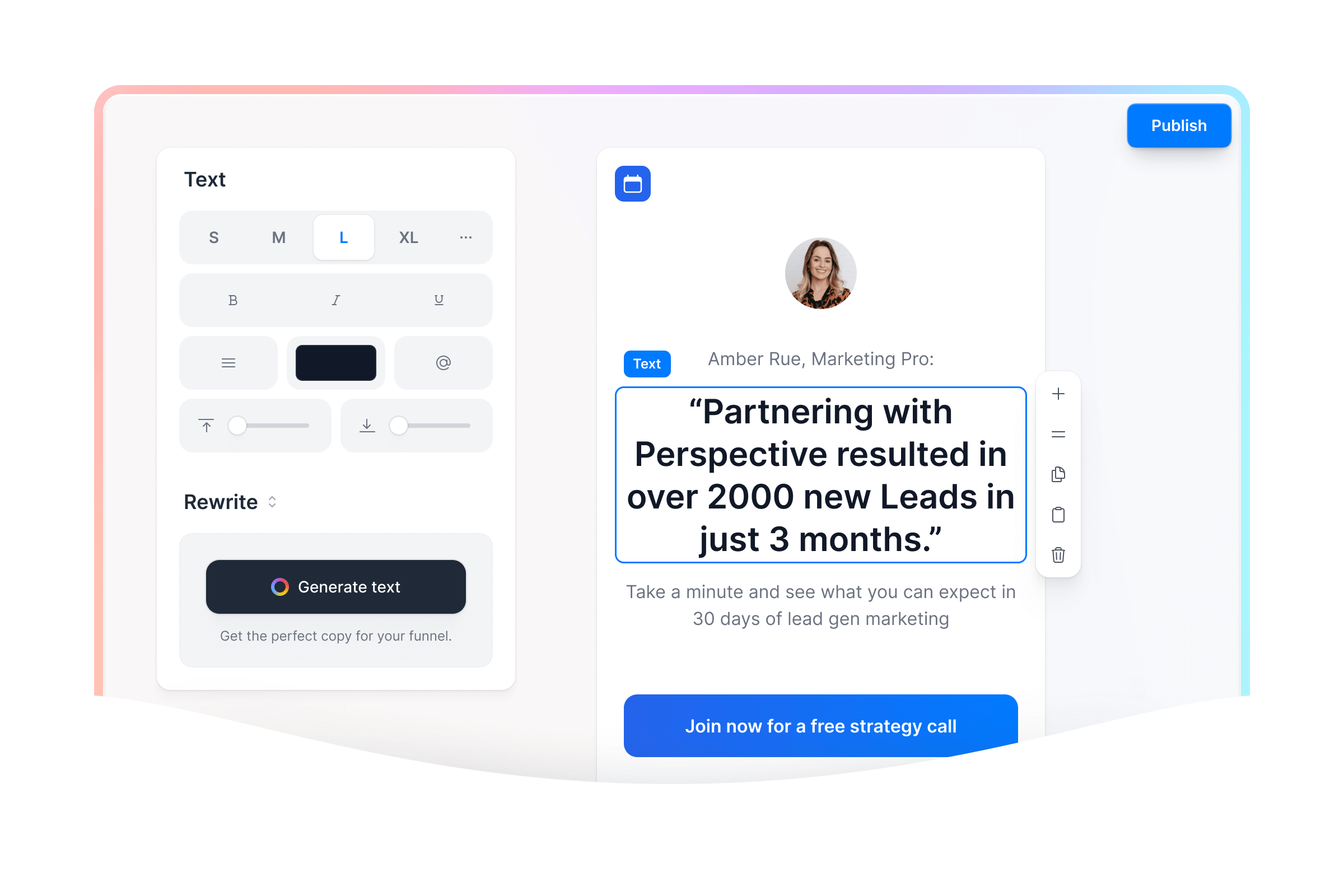
At a glance
Perspective is an AI landing page builder designed to turn traffic and ads into high-quality leads and conversions. It brings landing page creation, lead capture, CRM, and follow-up into a single comprehensive platform.
Landing pages load quickly, and layouts stay consistent across devices. The intuitive builder keeps you moving quickly, helping you ship high-converting pages without the friction of legacy tools.
What makes it stand out
Unlike generic desktop-first builders, Perspective uses vertical, mobile-native landing pages that match how people browse on their phones.
Templates and AI help you launch high-converting AI landing pages in minutes. The clean, focused interface helps you build efficiently without unnecessary complexity.
Most landing page builders stop at the page itself, relying on separate tools for lead management, CRM, and analytics. Perspective takes the funnel further with built-in CRM, messaging, and conversion tracking. This ensures a seamless journey after lead capture.
Legacy landing page tools and bloated all-in-one suites are slow on mobile. Perspective avoids this critical performance drop, which damages conversion rates.
Key features
- Mobile-first landing page builder with an intuitive drag-and-drop editor
- AI templates designed for lead generation, product launches, webinar signups, and other high-intent campaigns
- Built-in CRM and messaging for managing leads and follow-up in one place
- Email and SMS automation to nurture leads without relying on extra tools
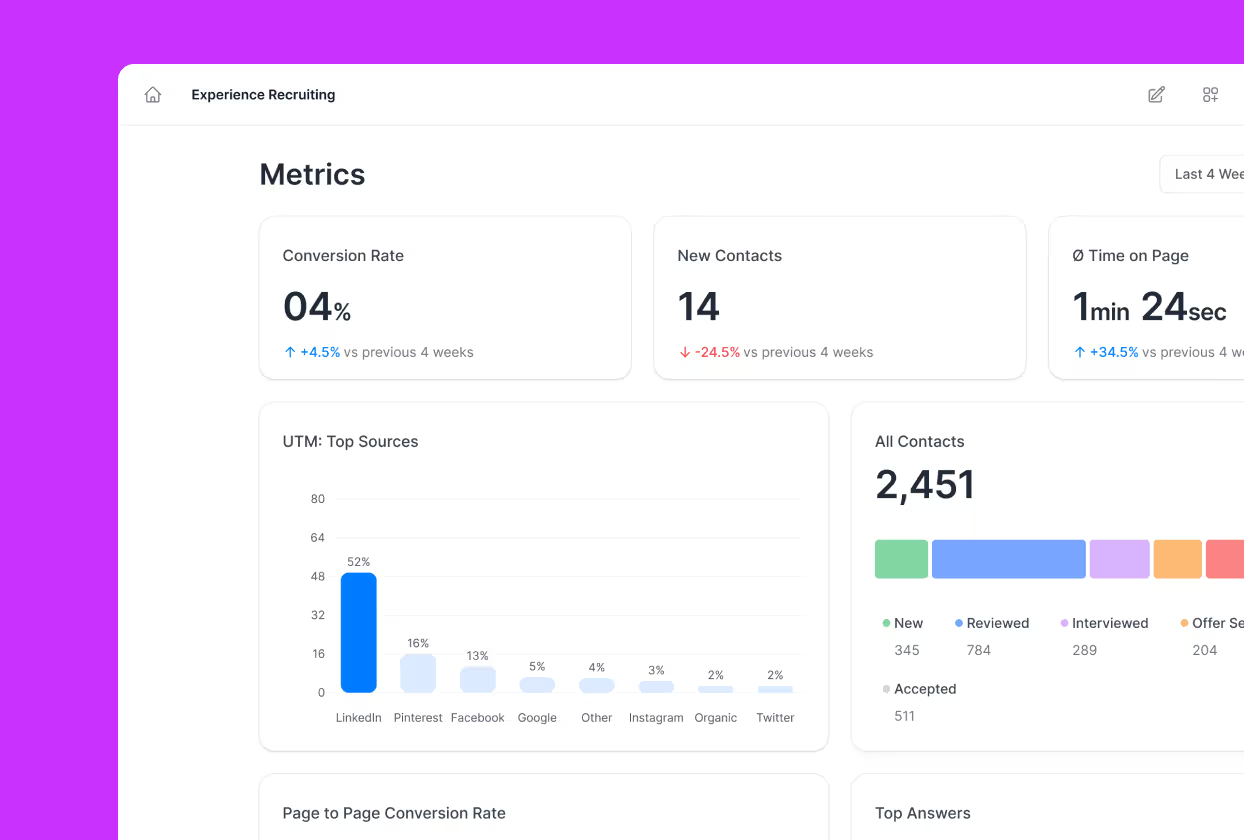
- GA4, Meta Pixel, and UTM tracking for clearer performance measurement
- AI tools for page creation, section generation, copy generation, and A/B testing
- Custom domains and branded pages that create a more professional, trustworthy experience
Pricing
Perspective offers a 14-day free trial, with plans available on monthly or annual billing. Annual pricing starts at $62/month (Base), $193/month (Grow), and $391/month (Expand), with a custom Scale plan for larger teams needing more workspaces and live pages.
Pricing is based on features and page volume, not contact count, so growth in your email list doesn't increase costs.
Strengths
- Very fast mobile load times that protect conversion rate on paid ads
- Intuitive, focused editor that lets you spin up landing pages quickly
- End-to-end flow from ad click to lead capture, follow-up messaging, and CRM management
- AI features that streamline funnel creation
Limitations
Focused on landing page creation and conversion optimization, not on being an all-purpose enterprise marketing cloud.
Use case
Choose Perspective if you need landing pages that are quick to build, easy to refine, and strong on mobile. It's ideal for paid traffic and lead-gen teams of any size.
With built-in follow-up and conversion tracking, you can clearly measure results and improve performance without extra tools.
AI tools and reusable templates make it effortless to build more pages without starting from scratch.
The best way to judge an AI landing page builder is to see how it performs on your own traffic.
Next step: test Perspective for yourself by spinning up a landing page and tracking conversions.
2. Unbounce

At a glance
Unbounce is an AI landing page generator that uses its Smart Builder feature to create pages from user input. It serves marketing teams that need landing pages without relying on developers.
Key features
- Smart Builder generates layouts and copy suggestions from user input
- Drag-and-drop editing for post-generation customization
- Smart Traffic routes visitors to the best-performing page variants
- Template library with conversion-optimized designs
- AMP support for faster page loading
Pricing snapshot
Unbounce pricing starts at $74/month, with higher-traffic tiers available. No free plan, but a 14-day trial is included.
Strengths
- Automatic A/B test routing reduces manual optimization
- Conversion-focused design and templates
- Native integrations reduce third-party tools
- Conversion analytics included
Limitations
- Generated layouts require customization for brand-specific elements
- No automatic mobile-first optimization
- Limited to marketing use cases
Use case
Unbounce can make sense for marketing teams running A/B tests who prioritize conversion optimization over design flexibility.
3. Wix
At a glance
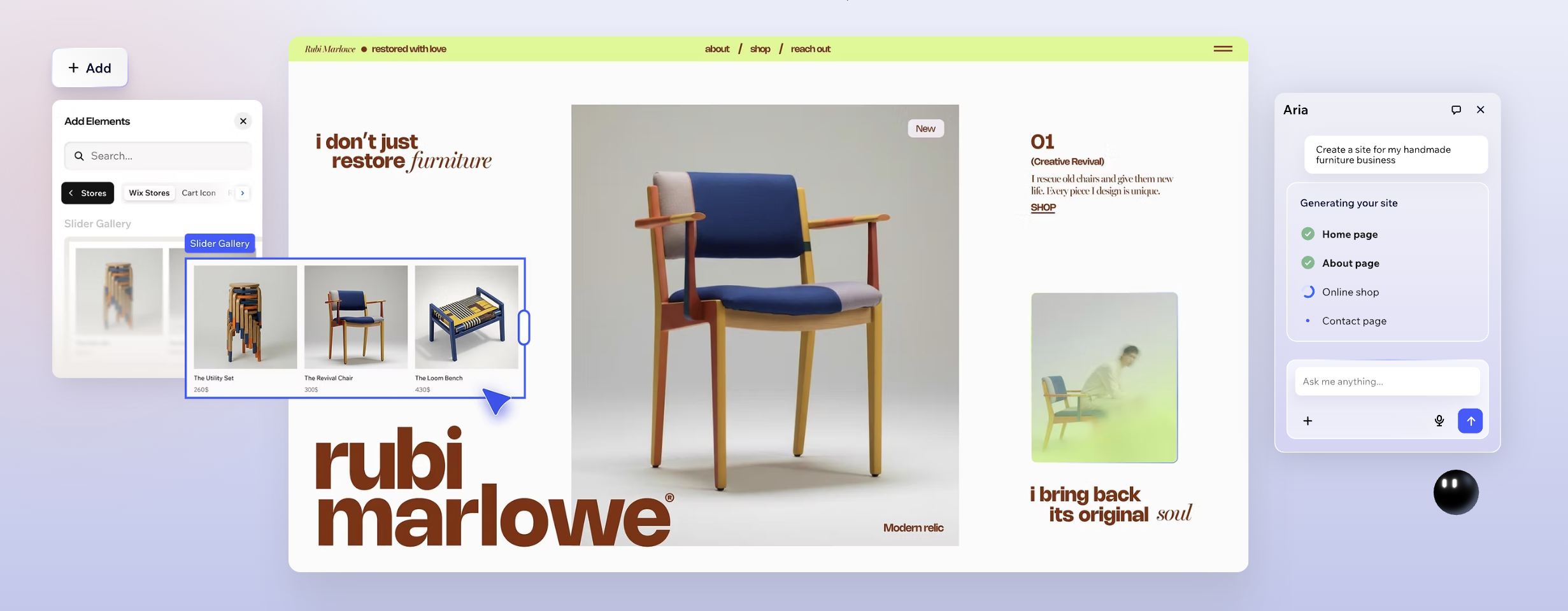
Wix is a general-purpose website builder that includes Wix ADI, an AI site generator. The platform offers free and paid plans for building websites with landing page capabilities.
Key features
- Wix ADI generates an initial site structure from business type and goals
- Drag-and-drop editor for full customization
- Large template library
- Mobile-responsive design
- Built-in analytics and SEO tools
Pricing snapshot
Wix offers a free plan with Wix branding. Premium plans start at $17/month and unlock custom domains and advanced features.
Strengths
- Wix ADI generates site designs automatically
- Template library covers many industries
- Intuitive for non-technical users
Limitations
- Not purpose-built for landing pages or conversion optimization
- Free plan includes Wix branding
- Limited A/B testing capabilities
- Custom domains and advanced features require paid plans
Use case
Wix can make sense for small businesses prioritizing ease of use and free plan access over conversion-specific features.
4. Leadpages
At a glance
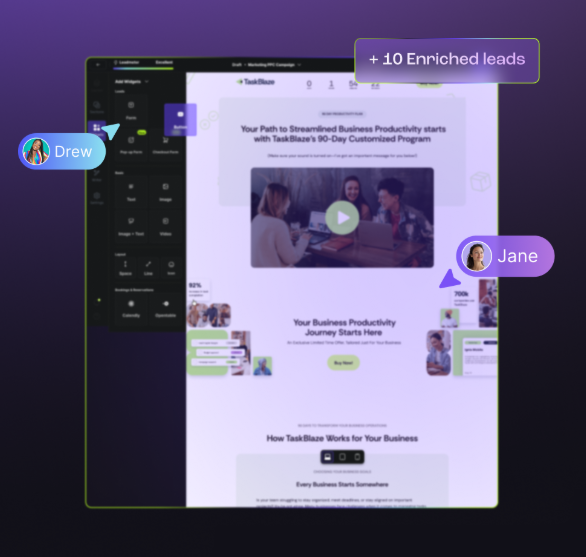
Leadpages combines drag-and-drop design with conversion tools and AI-assisted copywriting. It targets small businesses and solopreneurs seeking simple lead-capture landing pages.
Key features
- Drag-and-drop editor
- AI copy suggestions
- Form builders with conditional logic and pop-ups
- Template library
- Email and CRM integrations
- Basic analytics and mobile-responsive design
Pricing snapshot
Leadpages pricing starts at $37/month, with higher tiers adding features and page allowances. 14-day free trial available, no permanent free plan.
Strengths
- Purpose-built for lead capture workflows
- Built-in form optimization and A/B testing
- Usable without technical know-how
- Native email and CRM integrations
Limitations
- No permanent free plan, only a 14-day trial
- Limited advanced customization and design flexibility
- Complex custom designs are difficult to achieve
- Mobile customization requires manual adjustment
Use case
Leadpages can make sense for small businesses running basic lead capture campaigns where simplicity matters more than design control.
5. Squarespace

At a glance
Squarespace includes Blueprint AI for generating website designs and layouts. It serves creative professionals and small businesses, prioritizing design aesthetics over conversion optimization.
Key features
- Blueprint AI generates website designs from a business dscription
- Design-focused template library
- Drag-and-drop editing for customization
- Built-in e-commerce functionality
Pricing snapshot
Squarespace pricing starts at $16/month. 14-day trial available with custom domains included at all paid tiers.
Strengths
- Blueprint AI reduces setup time
- Design-focused templates produce cohesive sites
- Built-in e-commerce functionality
Limitations
- Not purpose-built for conversion optimization or lead capture
- Limited A/B testing capabilities
- No advanced form functionality or conditional logic
- Mobile-first optimization requires manual configuration
Use case
Squarespace can make sense for creative professionals prioritizing design aesthetics over conversion optimization.

6. Landing-page.io

At a glance
Landing-page.io generates landing pages from text prompts. It prioritizes speed over design control and targets rapid prototyping use cases.
Key features
- Generates pages from text prompts
- Drag-and-drop editing for adjustments
- Automatic mobile-responsive design
- Basic form capture and free tier access
Pricing snapshot
Free tier available with limited generation capacity. Paid tiers unlock higher limits and additional features.
Strengths
- Generates complete pages from prompts
- Natural language input is intuitive for non-technical users
- Pages can be iterated
Limitations
- Relatively new platform with limited feature maturity
- Generated pages require customization for branding
- Limited customization options compared to full builders
- No A/B testing capabilities
- Missing advanced integrations
Use case
Landing-page.io can make sense for rapid prototyping when you need to test a concept quickly before committing to a full build.
7. Instapage
At a glance
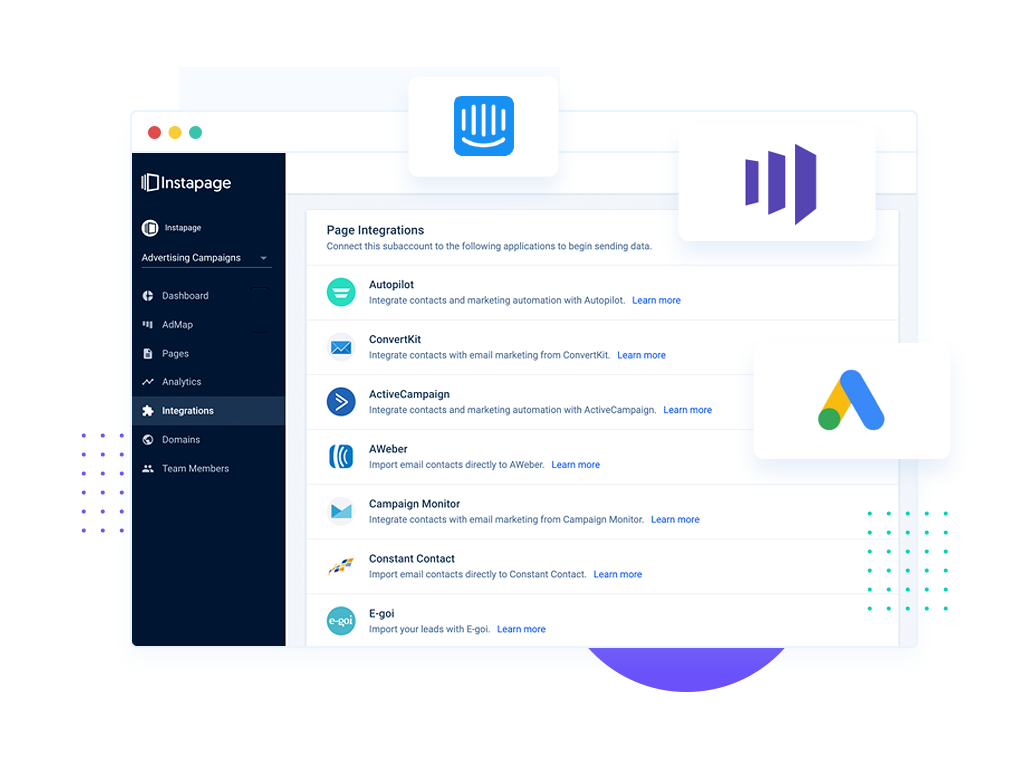
Instapage is an enterprise landing page builder emphasizing post-click optimization and conversion testing. It is designed for marketing teams and agencies.
Key features
- AI-powered content generation
- A/B testing
- Heatmaps and session recording
- Dynamic content personalization
- Template library
Pricing snapshot
Build plan starts at $79/month (annual billing). No free tier, but a 14-day trial is available. Enterprise plans require custom pricing.
Strengths
- A/B testing across multiple pages
- Conversion analytics and attribution
- Optimized mobile rendering
Limitations
- $79/month minimum price excludes solopreneurs and early-stage startups
- Steep learning curve for setup and campaign management
- The complex editor is overwhelming for beginners
- Page speed optimization is not a primary focus
Use case
Instapage can make sense for mid-market and enterprise marketing teams running multiple campaigns simultaneously.
8. Sitekick.ai

At a glance
Sitekick.ai generates landing pages from an existing URL or a written description. It prioritizes speed over customization and targets solopreneurs seeking fast solutions.
Key features
- Generates landing pages from URL or text prompt
- AI handles layout, copy, and design
- Basic customization after generation
Pricing snapshot
One-time purchase or subscription models available. Pricing based on generation credits and page limits.
Strengths
- Generates pages from URL or prompt quickly
- No design or copywriting skills required
- One-time pricing option removes long-term commitment
Limitations
- Limited post-generation customization
- Minimal integration options
- No A/B testing
- Limited analytics capabilities
- Custom domains are unavailable at lower tiers
Use case
Sitekick.ai can make sense for solopreneurs who need a quick page for a client project or for startups testing a concept with one-time pricing.
9. Landingsite.ai
.png)
At a glance
Landingsite.ai generates landing pages from text prompts for quick creation. It targets small business owners and non-technical users seeking minimal-customization solutions.
Key features
- Generates complete pages from written prompts in minutes
- AI handles design, layout, and copy automatically
- Free tier available with limitations
- Templates for common page types
- Mobile optimization and basic analytics
Pricing snapshot
Free tier available with restricted features. Paid plans unlock higher generation limits and customization options.
Strengths
- Prompt-based generation speeds up the design process
- Non-technical users can create functional pages
- Mobile-first design handled automatically
Limitations
- Minimal customization compared to full-featured builders
- Limited integration options
- No A/B testing or heatmaps
- Custom domains are unavailable on the free tier
- Limited analytics depth
Use case
Landingsite.ai can make sense for non-technical users validating a landing page concept with minimal budget.
10. Landingi
At a glance
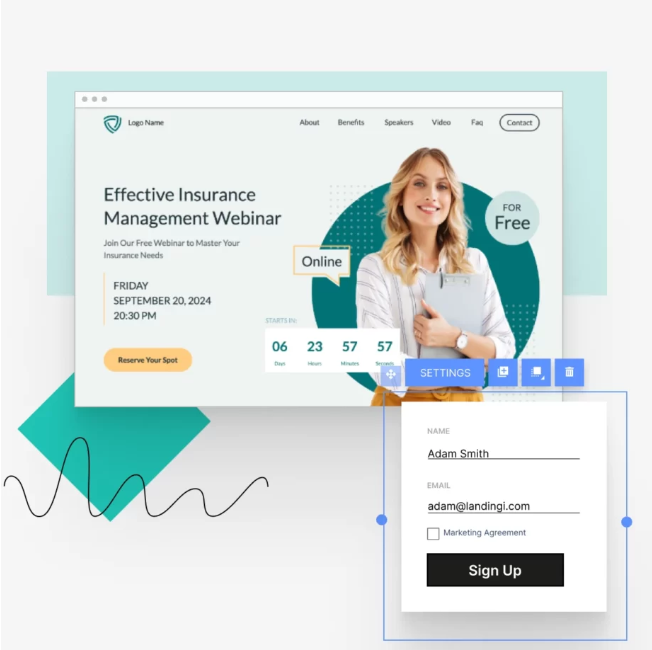
Landingi is a drag-and-drop builder with integrated AI for content generation and SEO optimization. It serves small to mid-market teams managing multiple campaigns.
Key features
- AI-powered content generation and SEO optimization
- Drag-and-drop editor
- Smart sections for conversion elements
- Event tracking and analytics
- CRM and email integrations
Pricing snapshot
Core plan starts at $29/month (annual billing). 14-day free trial available with custom domains across most plans.
Strengths
- Helpful template library
- Drag-and-drop for non-technical users
- AI content generation reduces copywriting burden
- Event tracking for analysis
- Broad integration coverage
Limitations
- Page speed optimization is not a focus
- Detailed A/B testing is limited to higher tiers
- The editor becomes harder to use on more complex pages
- Branding control is limited on lower-tier plans
Use case
Landingi can make sense for small marketing teams managing multiple campaigns who want AI-generated content assistance and a variety of templates.
.png)
Defined: AI landing page builder
An AI landing page builder is a web-based platform that helps create landing pages faster using AI.
Unlike traditional drag-and-drop builders, which often rely on a blank canvas or basic templates, an AI landing page creator can suggest layouts, generate copy, and recommend design elements based on conversion best practices.
An AI landing page builder helps teams create page variations faster, generate copy for different campaigns, and test new messaging and layouts. That reduces the back-and-forth between designers and copywriters, making it easier to build high-converting pages.
The core benefit is clear: AI helps teams create more pages, more efficiently, while improving conversion performance.
Benefits of using an AI landing page builder
The right AI landing page builder removes friction from every stage of page creation, from initial concept through final launch. Below are the main benefits of using one.
Launch pages faster
Speed is one of the most tangible benefits of an AI landing page generator. Traditional page creation requires coordination between designers, copywriters, and developers, which lengthens the whole process.
With an AI landing page builder, a single team member can create a full page, write the copy, and publish it within minutes. It also removes the need for design or development expertise, so anyone can build professional-looking pages.
Improve conversion rates
An AI landing page builder helps improve conversion rates by making it easier to test and refine the page. Modern platforms like Perspective include built-in A/B testing and analytics, so teams can see which elements drive the most engagement and conversions.
That data can then be used to refine the design, copy, and layout based on what is already working. Instead of relying on guesswork, teams can make decisions based on real user behaviour and test results.
Scale landing page production
When multiple campaigns are running at once, an AI landing page builder helps teams produce pages without design and copywriting support. It becomes easier to create variations for different audiences, offers, and channels.
It also makes testing at scale more practical. Teams can quickly try new messaging, update value propositions, and publish revised versions when a page underperforms.
Essential features to look for in an AI landing page builder
Not all AI landing page builders are created equal. Before committing to a platform, make sure it includes the core features that impact conversion performance and workflow speed.
Here's what to evaluate when comparing options.
AI copy generation
The platform should generate headlines, subheadings, and body copy based on your product description and target audience.
Template libraries
Look for professionally designed templates across different industries and use cases. A solid template library provides a strong starting point for your pages.
A/B testing
Built-in testing features let you compare page variants and measure which elements drive higher conversions. Essential for continuous optimization.
Mobile optimization
Your AI landing page builder should automatically generate mobile-responsive versions and allow testing across device types. Mobile performance is critical, and platforms built with a mobile-first approach have a clear advantage.
Drag-and-drop editing
Even with AI assistance, you should be able to customize layouts, images, and copy without code. This flexibility prevents you from being locked into AI suggestions.
Integrations
Check that your AI landing page builder connects to your email platform, CRM, analytics, and advertising tools. Integration capability determines how easily data flows between systems.
Analytics and conversion tracking
Your platform should include built-in analytics, conversion-pixel support, and data exports to measure campaign performance.
Page speed optimization
An AI landing page builder should be built to deliver pages quickly by default, especially on mobile. Page speed directly impacts conversion rates.
Custom domains
Verify that you can use your own domain instead of a landing page builder subdomain. Custom domains build trust and align with your brand.
An AI landing page generator is most effective when it helps teams build quickly, improve conversions, and publish with less friction.
If your team needs to launch landing pages fast with mobile-first design and split-testing built in, try Perspective today 👇
.png)
FAQs: AI landing page builder
What is an AI landing page builder?
An AI landing page builder is a platform that uses artificial intelligence to automate the creation and optimization of landing pages without manual coding.
It typically combines AI-powered templates, automated copywriting, and data-driven layout recommendations to help you build high-converting landing pages faster than with traditional builders.
What is the best AI landing page builder?
Perspective is the best AI landing page builder because it combines mobile-first design, AI-assisted copywriting, and built-in conversion optimization in one platform. It includes A/B testing, CRM, and analytics so you can track performance without extra tools.
👉 Start your 14-day free trial.
Can AI build a landing page?
Yes, AI can build a landing page from start to finish using templates, design suggestions, and generated copy. Tools like Perspective can create functional pages in minutes, tailored to your industry and audience.
AI handles the heavy lifting, but you can still review the output and test different variations to maximize conversions.
Are AI landing page builders free?
Some AI landing page builders offer free plans with basic templates and limited usage. In most cases, features like A/B testing, deeper analytics, and more advanced integrations are reserved for paid plans.
Perspective offers a free trial, which lets teams test real campaign performance before committing. Paid plans unlock the testing, analytics, and integrations needed to scale.
What features should I look for in an AI landing page builder?
The most important features are AI copy generation, mobile optimization, A/B testing, and integrations with your email and CRM tools.
You also want drag-and-drop editing, clear analytics, and lead capture forms that connect directly to your workflow. Perspective includes all of these as core functionality.
👉 Start your 14-day free trial.
Why Perspective is the best AI landing page builder
Looking for an AI landing page builder that turns clicks into qualified leads?
Perspective offers a full-featured free trial so you can build and launch before paying.
✔️ Launch funnels in ~30 minutes with an intuitive, design-first builder
✔️ Mobile-first pages that load fast and convert
✔️ Built-in messaging, native email, and lightweight CRM
✔️ Clear analytics with GA4/pixel support and easy integrations
✔️ Personalization with reusable sections and dynamic content
✔️ Predictable pricing after the trial, starting at $63/month
Start your free trial of Perspective 👇
.png)