%20copy%202.jpg)

Clicks are easy to buy on Facebook. Conversions aren’t, unless you remove friction.
If your ad sends people to a homepage, a busy product page, or even a Facebook Page, you create distractions and lose conversions fast. A Facebook landing page fixes that by giving each visitor one clear next step.
In this guide, you’ll discover Facebook ads landing page best practices, a build process for Meta campaigns, and what to track in Ads Manager. We also share 8 Facebook ad landing page examples built in Perspective that you can copy.
Let’s dive in 👇
What is a Facebook landing page?
A Facebook landing page is a dedicated page designed for traffic coming from a specific Facebook (Meta) ad. The job is simple: maintain momentum, remove friction, and guide the visitor to a conversion.
A landing page isn’t typically hosted on the Facebook platform. It’s a dedicated web page you control, usually published on your domain or a branded subdomain. Your ad creates intent, and your landing page captures it.
Facebook ad clicks usually come from fast, mobile scrolling, not deep research. So keep your landing page simple: one promise, one CTA. Load speed is just as critical, especially on mobile traffic.
How to create a high-converting Facebook landing page
Building a high-performing Facebook landing page is less about “design talent” and more about clarity, speed, and sequencing.
Follow this winning process for your campaigns.
Step 1: Set the campaign goal
Start with a single outcome you can track: an email signup, a booked call, a purchase, or an application.
This decision shapes your page length, form fields, and CTA. It also determines which event you optimize for in Meta. If you optimize for Landing Page Views, treat it as a filter for click quality — then judge success on the actual conversion.
Step 2: Choose a proven layout
Pick a Facebook landing page template based on what you want the visitor to do next.
Generate appointments
Best when the goal is to qualify prospects and get them to book time with you. Use a clear offer, light qualification, and a direct path to scheduling.
Source talent
Best for recruiting and hiring funnels. Showcase the role or company, set expectations clearly, and let candidates apply quickly without friction.
Build an email list
Best for lead magnets and opt-ins. Keep the page short, make the value instantly clear, and ask only for the information you need to follow up.
Make online sales
Best for selling directly. Use a focused offer, strong proof, and a streamlined checkout path so visitors can buy without distractions.
{{cta}}
Step 3: Create a clear above-the-fold hero
This section sets expectations for the rest of the page. It should explain what the offer is, why it’s credible, and what action to take.
To make it easy to write, use this three-part structure:
Outcome headline
Say the result the visitor wants, not your feature list.
Social proof
A quick proof signal that reduces doubt. Examples: customer logos, a short testimonial line, or a relevant guarantee.
CTA and reassurance
Use a clear button label that states the action and the benefit. For example, “Get the free template” or “Book a strategy call.”
Add a short reassurance line that reduces hesitation, such as “No credit card required,” “Takes two minutes,” or “Instant access.”
Step 4: Add proof and details below the fold
If visitors don’t convert immediately, this is where you earn the decision. As they scroll, show proof in this order:
- Logos of recognizable brands (if you have them)
- Short testimonials that match the promise
- Specifics about the offer. Explain what’s included, how it works, and what happens after they sign up
- FAQs to address objections. Cover common questions about pricing, setup time, compatibility, refunds, and privacy
Step 5: Reduce friction without hurting lead quality
On a Facebook landing page, friction is a trade-off. The easier you make the next step, the more people will convert, but if you remove too much qualification, you can end up with worse leads. The goal is to keep the first step lightweight, then earn the right to ask for more.
A simple pattern that works across most Facebook ad campaigns is a two-step flow: first click confirms intent, second step collects details. Keep required fields to what you truly need, and make the rest optional. If you do need extra questions, explain why you’re asking so it feels reasonable, not intrusive.
Step 6: Publish and track conversions
Before you send traffic, make sure your Facebook landing page is fast, mobile-friendly, and tracks the right events. Install the Meta Pixel (and Conversions API if available), then set up one conversion event for the Facebook ads landing page. This gives Meta a clear signal to optimize for, and it keeps your reporting accurate.
You’re not optimizing yet. You are just making sure clicks turn into real sessions and the correct conversion is recorded.
Before you publish, check:
- The Facebook landing page loads fast on mobile and stays stable while loading
- The ad lands on the correct URL with no redirects or errors
- Images, fonts, and layout display properly on small screens
- The form or CTA completes and shows a clear confirmation
- The Facebook Pixel fires on page view and on your conversion event
With this in place, you can trust what Meta reports.
Facebook ad policy checks for your landing page
Meta reviews both your ad and your Facebook landing page. If the page looks misleading, collects sensitive information in the wrong way, or creates a poor user experience, your ads can be disapproved or limited.
Misleading claims
Avoid promises your Facebook landing page can’t realistically guarantee. Meta often flags pages that suggest instant results, guaranteed outcomes, or dramatic transformations. Be careful with absolute statements like “will” or “always,” and copy that implies you know personal traits about the visitor.
Also make sure your offer is clear: don’t hide important conditions, don’t bury pricing, and don’t change the offer after the click. If your ad promises a free template, your Facebook ad landing page should deliver that, not redirect people to a demo request.
When Meta checks your page more closely
Some topics get extra scrutiny from Meta, including health, finance, housing, and employment.
If your Facebook landing page collects sensitive details or promotes a regulated service, keep the page straightforward and ask only for the information you truly need.
Make sure you also have the right permissions to advertise that type of offer.
UX violations
A common reason ads get rejected is a bad experience after the click. Meta checks whether your Facebook ad landing page works properly and feels trustworthy.
Avoid issues like slow loading, broken pages, pop-ups that block the content, or anything that forces a download. Keep the page easy to use on mobile and make sure visitors can complete the next step without friction.
Quick compliance checklist
- Privacy policy link is visible and relevant
- Claims are realistic and clearly explained
- Disclosures are clear (pricing, terms, affiliations when needed)
- No deceptive buttons, fake alerts, or confusing navigation
- Page loads correctly on mobile and does not redirect unexpectedly
Facebook ads optimization
When you set up a Facebook campaign, you also choose what Meta should optimize for. Two common options are Link Clicks and Landing Page Views, and the right choice depends on whether you want cheap traffic, high-quality visits, or a strong conversion signal.
Optimize for Link Clicks
Optimize for Link Clicks when you want volume and speed rather than precision. This is useful early on, when you are testing ad creative, audiences, or offers, and just want to see what gets attention.
With Link Clicks, Meta focuses on getting people to tap the ad, not on whether they fully reach your Facebook landing page. That means clicks can be cheaper, but quality is mixed. Some users may bounce immediately or never wait for the page to load.
Once your Facebook ad landing page is loading reliably and you care more about visit quality than raw traffic, it usually makes sense to move away from Link Clicks and optimize for a stronger signal, such as Landing Page Views or the actual conversion event.
Optimize for Landing Page Views
When you optimize for Facebook landing page view events, Meta prioritizes delivery toward people who are more likely to click and actually reach your page. A Landing Page View only counts when the page finishes loading.
This filters for people who actually reach your Facebook landing page, not just tap the ad. It also makes problems like slow loading or a broken mobile experience obvious, because those issues stop people from ever seeing the page.
Why your cost per Landing Page View might be high
If Landing Page Views cost more than expected, it usually means people are clicking but not staying long enough to fully load or engage with your Facebook ads landing page.
Before you change your ads, check these common on-page issues first:
Speed
If your Facebook landing page is slow, you will pay for clicks that never become sessions.
Message match
If the ad promise and page do not align, people bounce immediately, even if the page loads.
Mobile UX
Check font size, button spacing, form usability, and whether the page jumps during load.
Tracking errors
Confirm that the pixel fires correctly and that you are not misreading results due to missing events or broken attribution.
8 Facebook landing page examples
Below are 8 successful Facebook landing pages across different industries. Click any image to view the live page and explore how each one converts traffic
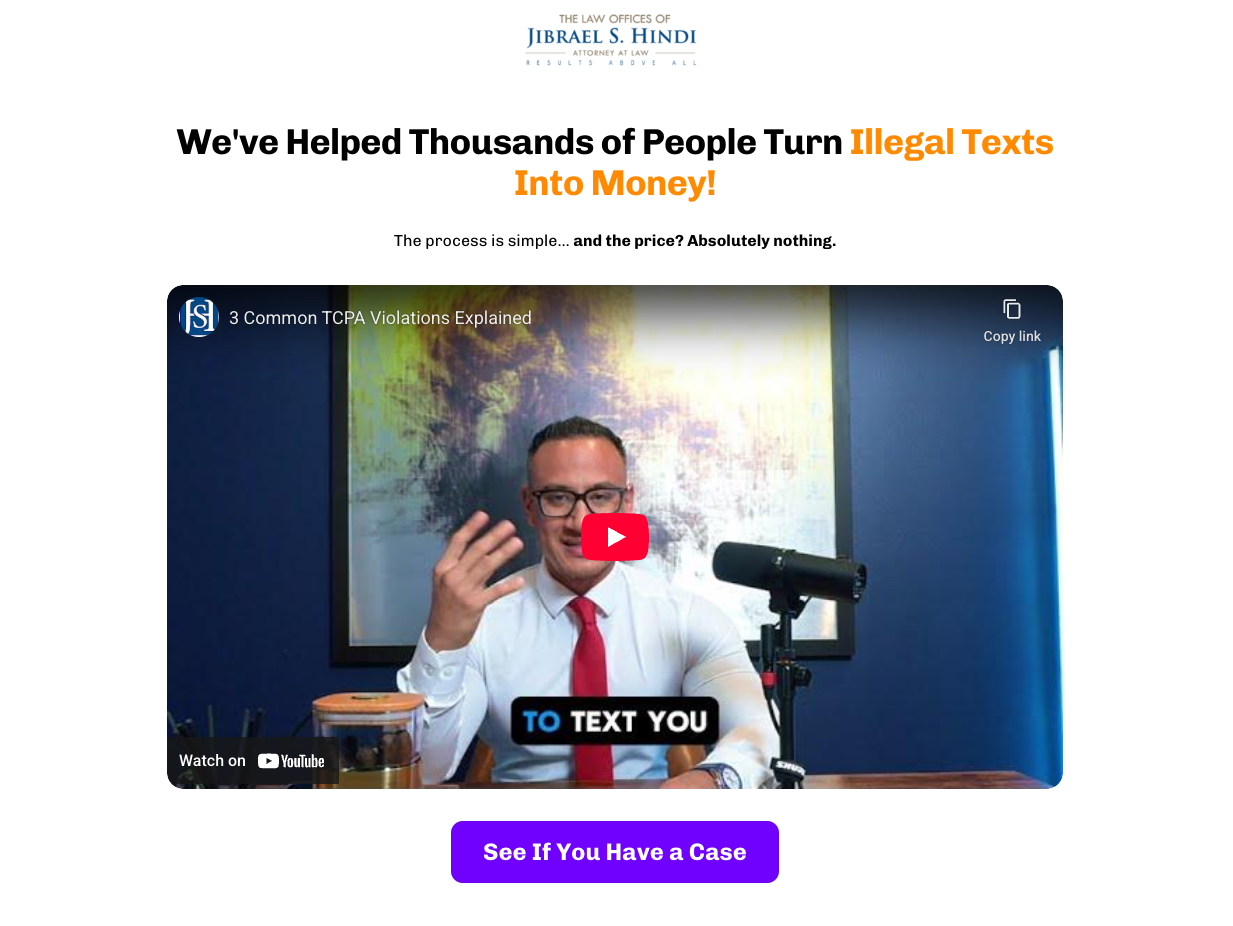
1. Legal services
Funnel snapshot
Offer: free case review to help people claim compensation for illegal marketing texts (TCPA)
Audience: consumers receiving unwanted texts
Traffic source: paid social
Info captured: first name, last name, email, phone number, state, privacy consent
CTA: “See If You Have a Case” / “Get Me Paid!”
Why it converts
The hook is instantly concrete and includes a clear payout range, so visitors understand the upside in seconds.
Fear and hesitation are reduced by making the offer risk-free. Messaging includes “the price? Absolutely nothing” and “you never pay us a penny.” These statements are backed up by credentials and recovery totals.
It’s worth noting that this landing page is clearly aligned with Facebook ad policy landing page requirements. That’s because privacy consent is visible and claims are supported.
The page also leans hard into proof. Multiple testimonial videos, a “real results” panel, and recognizable company logos do the trust-building work. This trust-building pattern is present in many high-performing Facebook ads landing pages.
What we’d test next
Turn the long form into a two-step flow. Start with two or three eligibility questions, then collect contact details on the next screen to see if more people begin the application.
Results
Over 20% conversion rate.
2. Finance
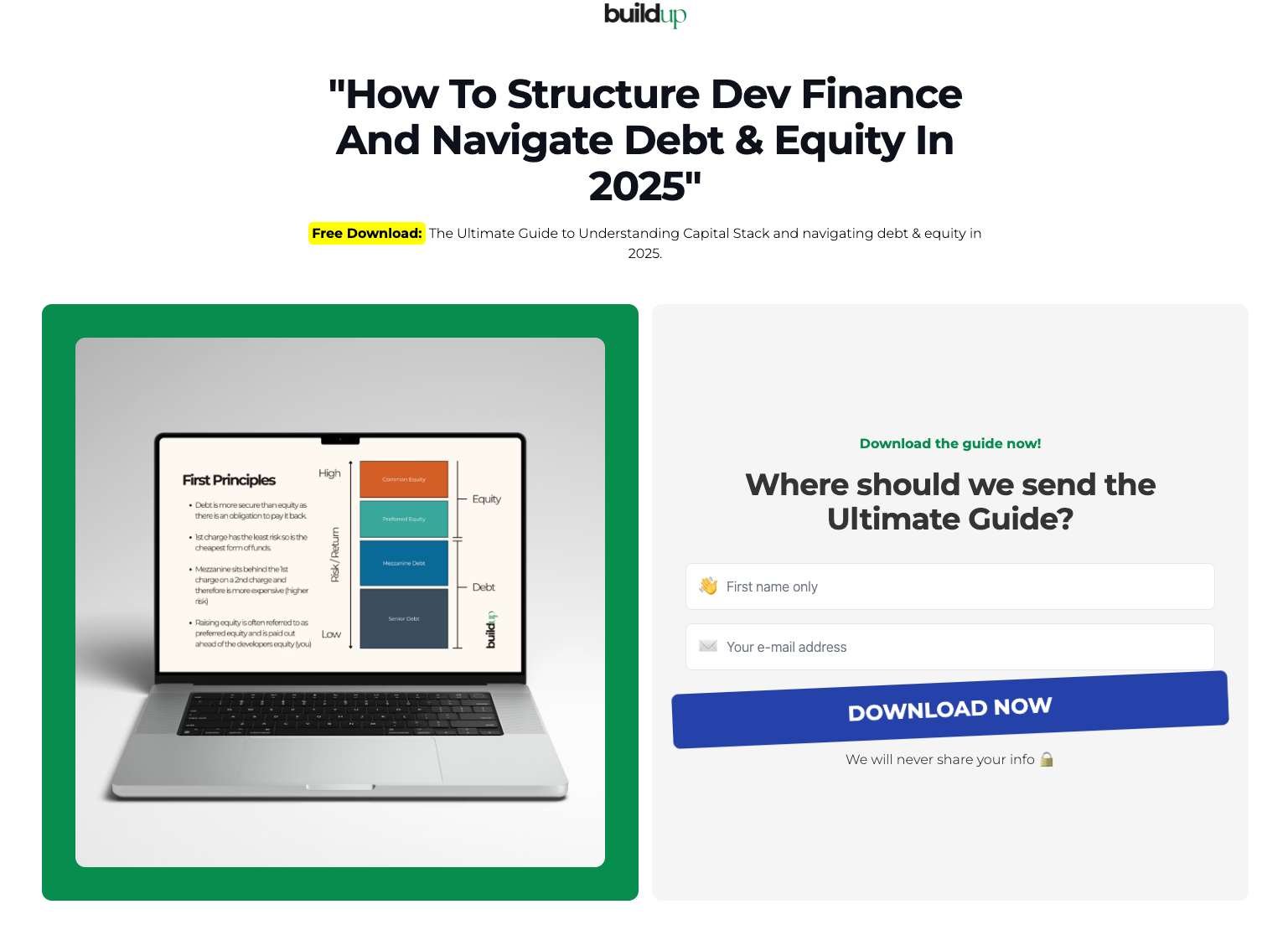
Funnel snapshot
Offer: free download: “How To Structure Dev Finance And Navigate Debt & Equity In 2025” (capital stack guide)
Audience: property developers and investors navigating funding, debt, and equity
Traffic source: paid social
Info captured: first name and email address
CTA: “Download now.”
Why it converts
It is a clean value exchange: one specific, time-relevant lead magnet, with a form and a single call to action.
Niels Klement, CMO at Perspective, added:
“The single most important thing for a high conversion rate is the offer. If your offer isn’t great, even the best funnel won’t get you leads.”
Right after the hero, the “This guide was crafted by Rosey Cassidy” section does the trust-building. The short bio plus the four credibility proof points reduce doubt before the opt-in.
This Facebook ad landing page also keeps friction low by asking for only two fields, which helps more visitors complete the opt-in.
What we’d test next
Test a second CTA variant that matches intent more closely, such as “Get the dev finance guide.”
Add one line of micro-proof under the button, like a short “instant access” promise.
Results
Over 25% conversion rate.
3. Agency
Funnel snapshot
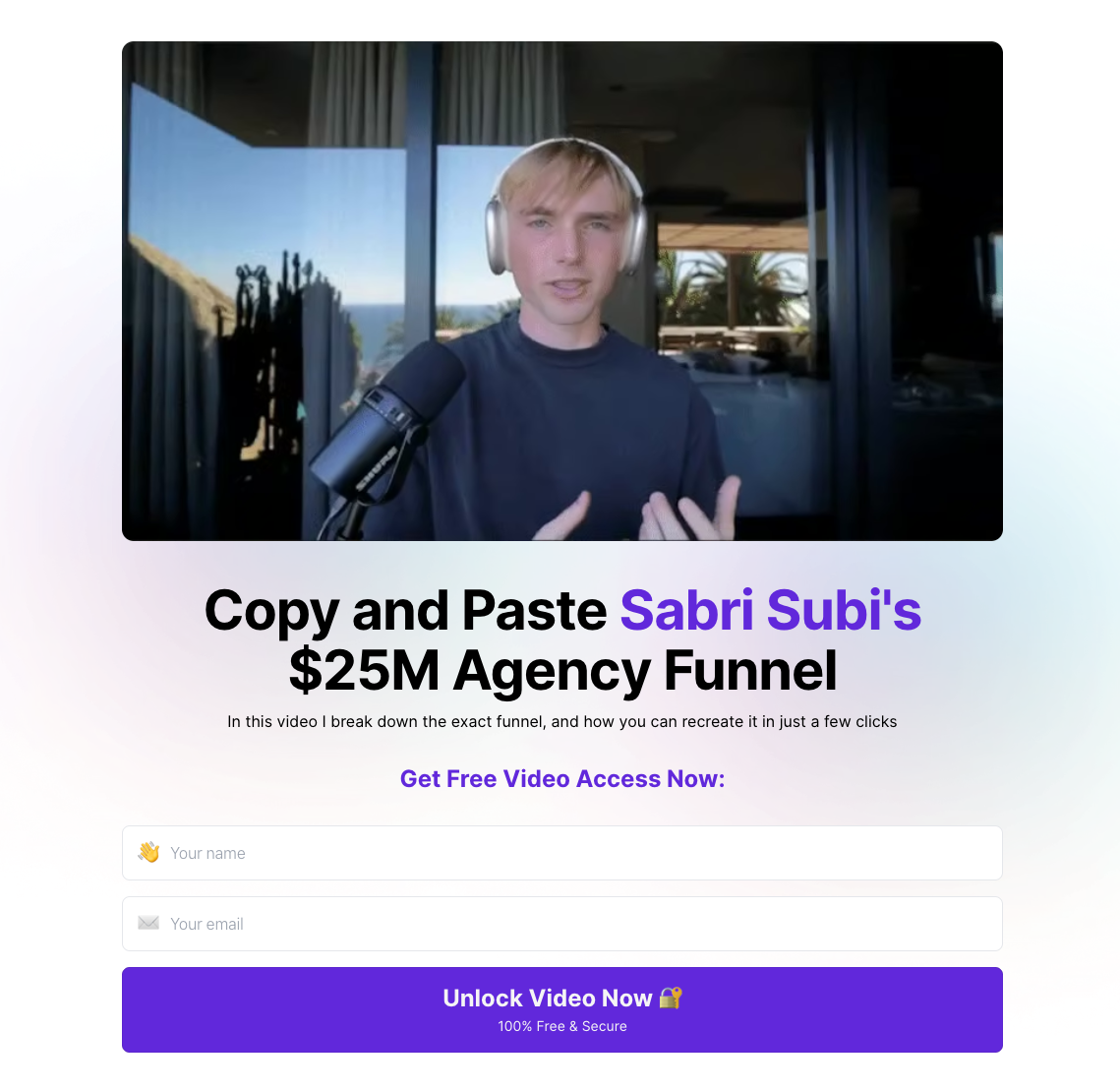
Offer: free video access to a “copy and paste” breakdown of Sabri Subi’s agency funnel
Audience: agency owners and marketers who want a proven client acquisition funnel
Traffic source: paid social
Info captured: name and email address
CTA: “Unlock Video Now”
Why it converts
This Facebook landing page makes the offer instantly clear: you get a step-by-step breakdown you can recreate quickly.
It keeps friction low with a simple opt-in (classic Facebook squeeze page), then earns trust with proof that matches the promise: results-driven testimonials, ratings, and recognizable logos.
The page repeats the opt-in after the proof section, so people can take action as soon as they are convinced.
4. Real estate
Funnel snapshot
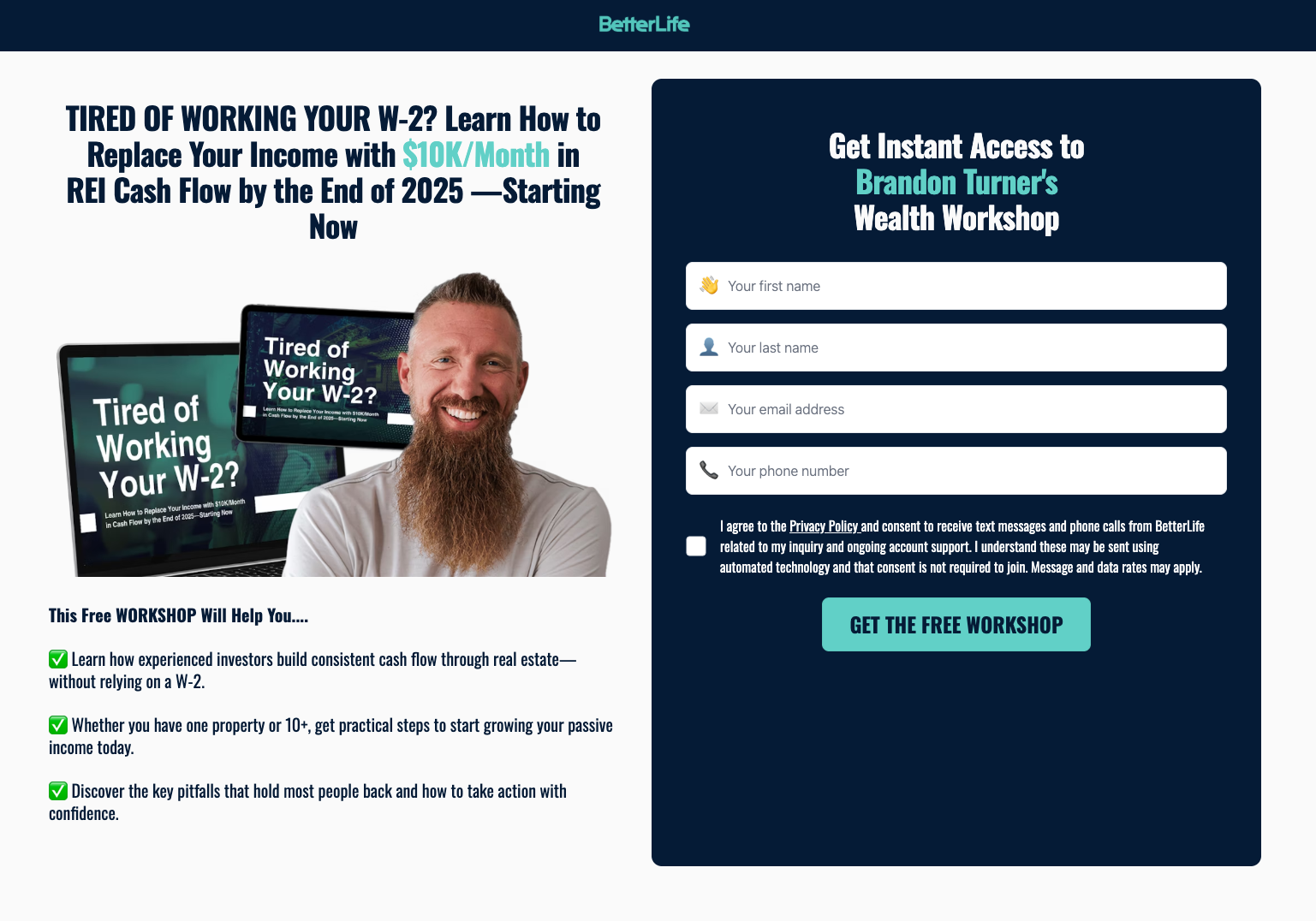
Offer: free workshop access to “Brandon Turner’s Wealth Workshop.”
Audience: aspiring real estate investors with a W-2 who want to build consistent cash flow
Traffic source: paid social
Info captured: first name, last name, email address, phone number (plus consent checkbox)
CTA: get the free workshop
Why it converts
This Facebook landing page leads with one concrete outcome and a clear time frame, so visitors understand the promise fast.
The form sits above the fold, while the checklist explains what you will learn in plain language, so the value is clear before you commit.
Further down, the “Results our members are getting” cards add proof, and the repeated CTA keeps the next step obvious.
What we’d test next
Test removing “last name” or making phone optional to see if you can lift opt-ins without hurting lead quality.
Test a two-step opt-in: click CTA first, then show the full form, to reduce the perceived commitment on cold traffic.
Results
Conversion rate is over 15%.
5. Insurance

Funnel snapshot
Offer: remote Medicare sales role with free leads, simple system, commission, and renewals
Audience: licensed (or near-licensed) health and life agents, plus unlicensed applicants with sales experience
Traffic source: paid social
Info captured: license status first, then contact and fit details
CTA: “Apply now in just 2 minutes”
Why it converts
This Facebook landing page gets to the point fast. It promises a two-minute application and spells out the upside clearly: free leads, a simple system, and commission with renewals.
It starts with a low-effort qualifier (licensed vs unlicensed with sales experience), so the Facebook ad landing page can guide people down the right path without showing a long form upfront.
It also uses clear trust signals. Conference imagery, benefit blocks, and a simple 6-step process make the next steps easy to understand.
What we’d test next
Test a compact proof strip directly under the first question to see if it increases first-click rate.
Include one short testimonial, one metric, and a clearer version of “free leads,” for example: “Leads provided by us.”
Results
Over 15% conversion rate.
6. Recruiting
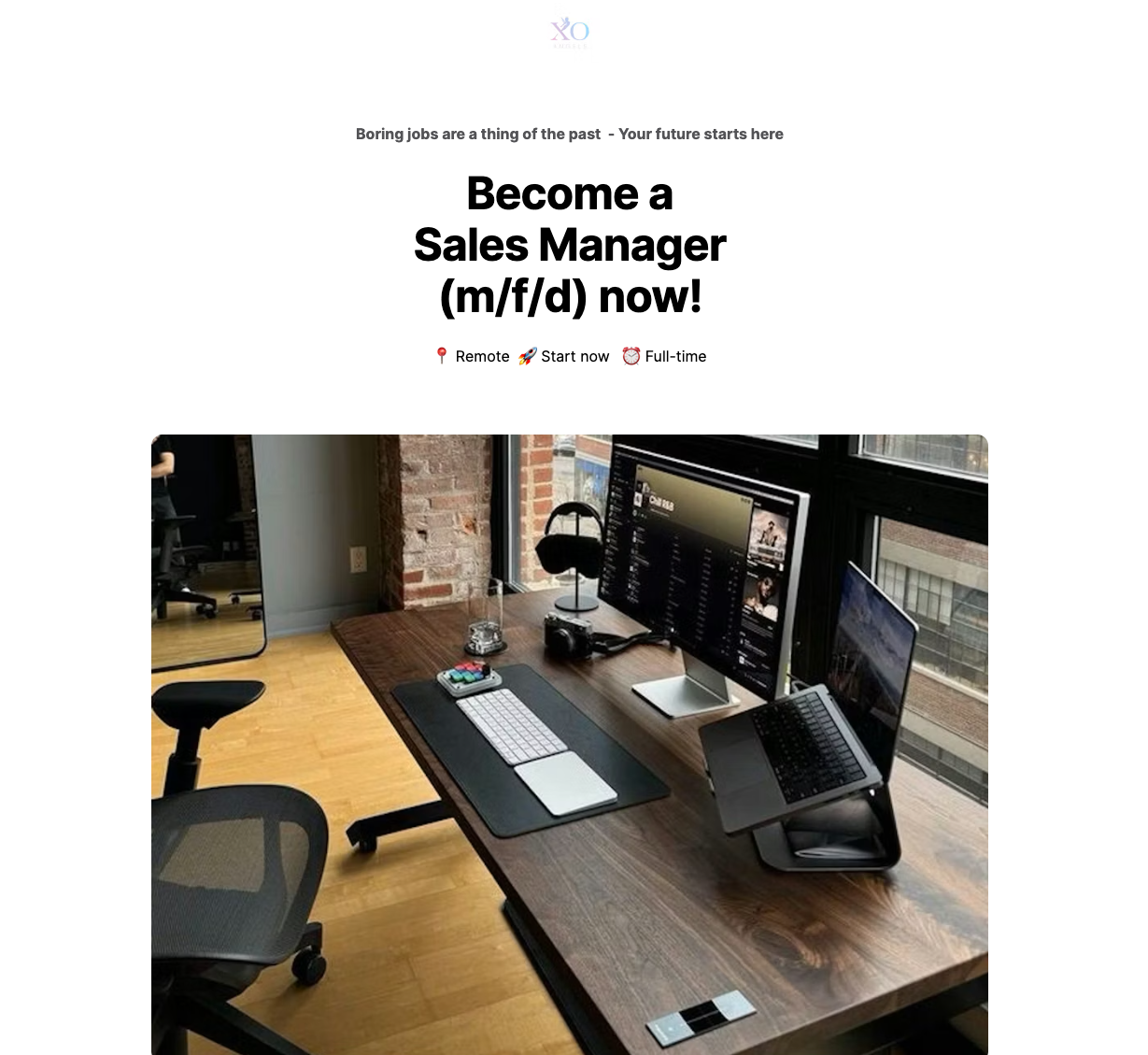
Funnel snapshot
Offer: fast job application for a remote Sales Manager role
Audience: candidates looking for a full-time, remote sales leadership role
Traffic source: paid traffic
Info captured: basic application details, designed to be completed in under a minute
CTA: “Apply Now (duration 56 seconds)”
Why it converts
This Facebook landing page sells speed first, which reduces hesitation before people overthink the application. This helps both the conversion rate and Facebook cost per landing page view (fewer people bounce before the page loads).
The headline is clear, the layout is scannable, and the Facebook ads landing page repeats the same single action, so the next step stays obvious.
“Confidential” and “No spam” handle the main trust objections without adding clutter.
What we’d test next
Test adding one high-intent detail above the first CTA, such as pay range or time zone, to see if it improves applicant quality.
Results
Conversion rate is over 35%.
7. Training
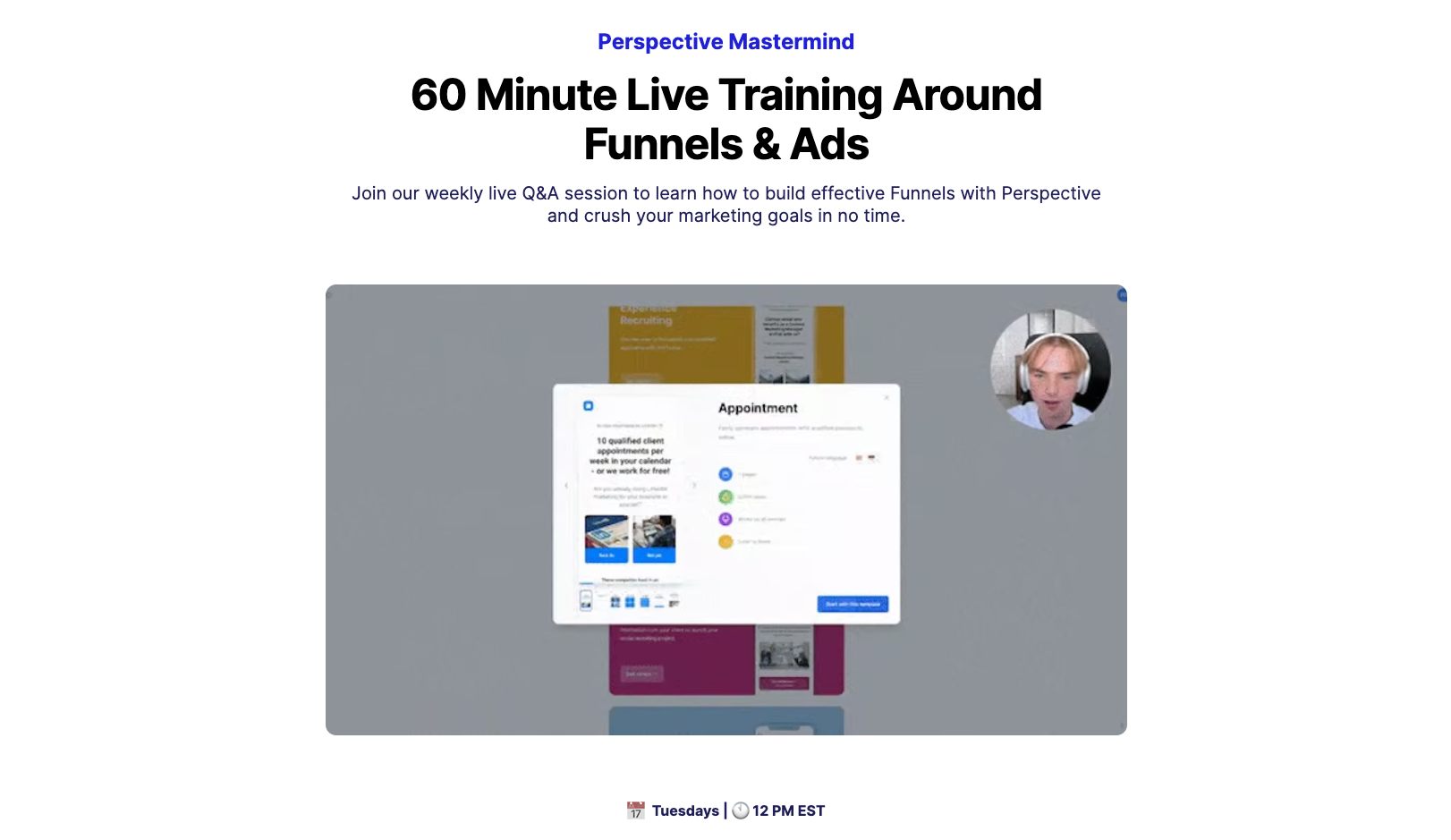
Funnel snapshot
Offer: 60-minute weekly live training and Q and A on funnels and ads (Perspective Mastermind)
Audience: marketers and founders building funnels who want live feedback and tactical help
Traffic source: email list, in-app prompts, social, retargeting
Info captured: first and last name, email, privacy consent
CTA: “Save My Seat”
Why it converts
This Facebook landing page is time-bound and specific. A weekly live session with a clear duration makes the commitment feel small and the value feel immediate. As a result, Landing Page Views in Facebook ads tend to increase because fewer users hesitate.
The page answers “why show up?” fast with a tight benefit stack: growth learnings, behind-the-scenes automation, flexible agenda, and live feedback. That reduces drop-offs because people can clearly picture what they’ll get.
And the flow is clean: one offer, one CTA, one form. That is why this Facebook ad landing page format keeps converting for webinar-style campaigns.
Niels pointed out that:
“Leads generated through webinars and training usually have the highest sales call conversion rates.”
What we’d test next
Add one line of specificity under the headline (this week’s theme or 3 topics covered) and A/B test that against the evergreen version.
Results
Over 15% conversion rate.
8. Ecommerce
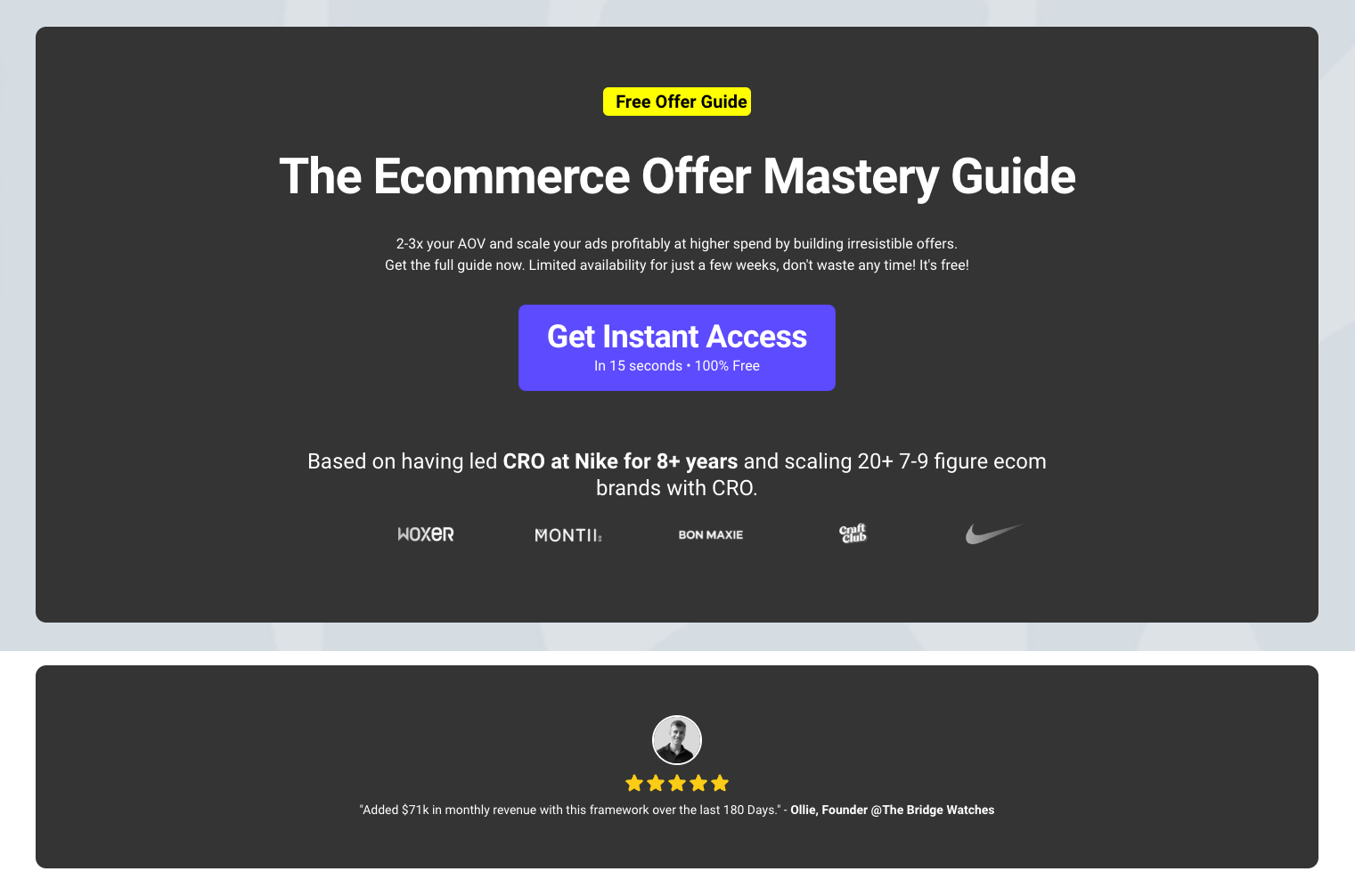
Funnel snapshot
Offer: free “Ecommerce Offer Mastery Guide” (bundle formulas, swipe file, case study breakdowns)
Audience: ecommerce founders and performance marketers trying to lift AOV and scale ads profitably
Traffic source: paid social and retargeting (high-intent “scale ads” angle)
Info captured: email (typically via a two-step opt-in from the “Get Instant Access” CTA)
CTA: “Get Instant Access”
Why it converts
This Facebook landing page sells one clear outcome: increase AOV by building stronger bundles and offers, so you can scale ads profitably.
Authority lands fast (credible background and recognizable logos), so the guide feels trustworthy before the visitor scrolls.
The “What’s inside?” section makes the value concrete, and the repeated CTA keeps the next step obvious across the Facebook ad landing page.
What we’d test next
Test a version in which the email field appears immediately on the page, rather than after clicking.
Results
Conversion rate is over 20%.
.png)
FAQs: Facebook landing page
What is a Facebook landing page?
A Facebook landing page is a dedicated page built to convert Facebook ad traffic into one clear action, like an opt-in or signup.
A high-performing Facebook ad landing page matches the ad’s promise and removes distractions. It focuses on a single call to action, supported by proof points like customer reviews and trust elements.
👉 If you want to build your own Facebook ads landing page, try Perspective’s 14-day free trial.
How to make a landing page on Facebook?
You don’t build a landing page inside Facebook. You create the Facebook landing page on your own website or with a landing page builder, then send Facebook ad traffic to that page.
Facebook Lead Ads are ads where people submit their details using a form inside Facebook, without being taken to a separate landing page.
A Facebook ads landing page is a dedicated page built outside Facebook, often using landing page software like Perspective, where the conversion happens after someone clicks the ad.
A landing page is the better option because it gives you full control over the page structure, messaging, tracking, and optimization, rather than being limited to Facebook’s built-in form.
What’s the difference between a landing page and a homepage?
A landing page is designed for one conversion goal, while a homepage is designed to support multiple use cases and entry points.
Facebook landing pages convert better for ads because they keep the visitor focused on one offer and one next step.
How do I set a landing page for Facebook ads?
To set a landing page for Facebook ads, enter your landing page URL in the ad setup, choose an appropriate CTA button, and make sure the page loads quickly on mobile devices.
👉 If you want to test mobile-first Facebook landing pages, start your free 14-day free trial of Perspective.
Build your Facebook landing page in Perspective
If you want to build Facebook ad landing pages fast and skip the tech headaches, Perspective is for you.
It focuses on speed, simplicity, and real-world conversion performance.
✔️ Launch funnels in ~30 minutes with an intuitive, design-first builder
✔️ Mobile-first pages that load fast and convert
✔️ Built-in messaging, native email, and lightweight CRM
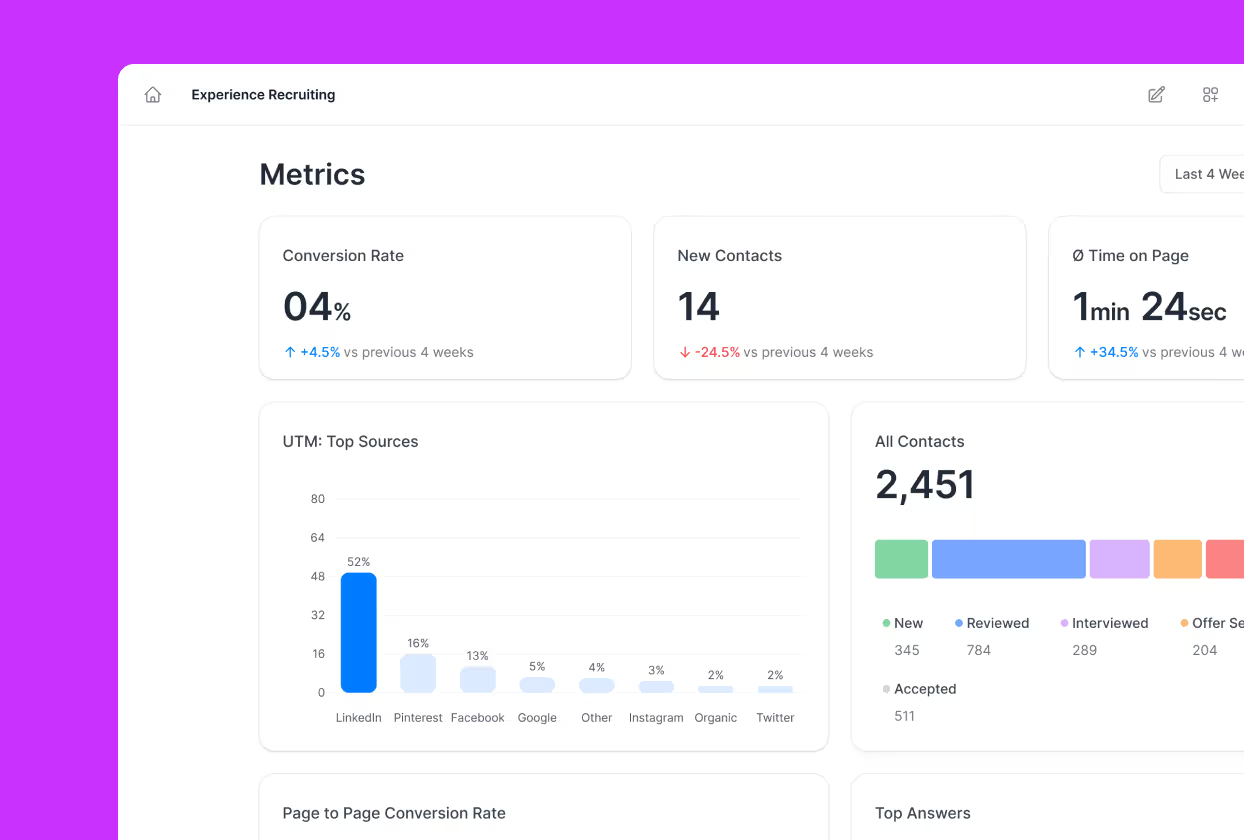
✔️ Clear analytics with GA4/pixel support and easy integrations
✔️ Personalization with dynamic content
✔️ Predictable pricing after the trial, starting at $47/month
Start your free trial of Perspective 👇
.png)