%20copy%202.jpg)

Most teams spend days on the lead magnet itself and ten minutes picking the software to run it. Then wonder why no one signs up.
A great asset matters. The software you run it on matters more.
We tested 17 lead magnet software tools to see what each one delivers on real traffic.
Let's dive in 👇
Top 17 lead magnet software at a glance
Here's a quick side-by-side of every lead magnet tool in this guide before the full breakdowns.
| Tool | Key features | Best for |
|---|---|---|
| Perspective | Mobile-first funnel builder, lead capture, CRM, messaging | Teams converting paid traffic into leads fast |
| Canva | Drag-and-drop design, templates, brand kit | Marketers designing PDF and visual lead magnets |
| Kit | Email automation, tagging, creator tools | Creators delivering and nurturing email subscribers |
| MailerLite | Email, basic landing pages, automations | Solo founders running simple email-led campaigns |
| Designrr | Blog-to-ebook conversion, PDF templates | Content teams turning posts into downloadable assets |
| Beacon | Lead magnet PDFs, checklists, ebook templates | Marketers producing branded downloadable resources |
| OptinMonster | Popups, slide-ins, exit-intent forms | Site owners adding capture overlays to existing pages |
| Mailchimp | Email campaigns, audience management, basic forms | Small businesses running email-first lead programs |
| HubSpot | CRM, forms, workflows, content tools | Teams centralizing leads, contacts, and follow-up |
| Notion | Templates, interactive guides, shared docs | Operators delivering toolkits and template lead magnets |
| Piktochart | Infographics, reports, presentation templates | Marketers producing data-led visual downloads |
| Brevo | Email and SMS, automations, transactional sends | Teams running budget-friendly multichannel sends |
| ActiveCampaign | Email automation, segmentation, lifecycle flows | Marketers running multi-step nurture sequences |
| Hello Bar | Notification bars, popups, exit triggers | Site owners running quick announcement-style captures |
| Thrive Leads | WordPress optin forms, A/B testing | WordPress owners running on-site capture experiments |
| WPForms | WordPress forms, conditional logic | WordPress owners building self-hosted lead forms |
| Loom | Async video recording, viewer analytics | Creators delivering video lead magnets and walk-throughs |
Tables are useful, but they only tell part of the story.
The next step is testing lead magnet software on your own traffic.

Top 17 lead magnet software: in detail
Choosing the right lead magnet software shapes how many leads you actually capture and how reliably they reach the next step in your funnel.
Here is how each tool stacks up in practice.
1. Perspective

At a glance
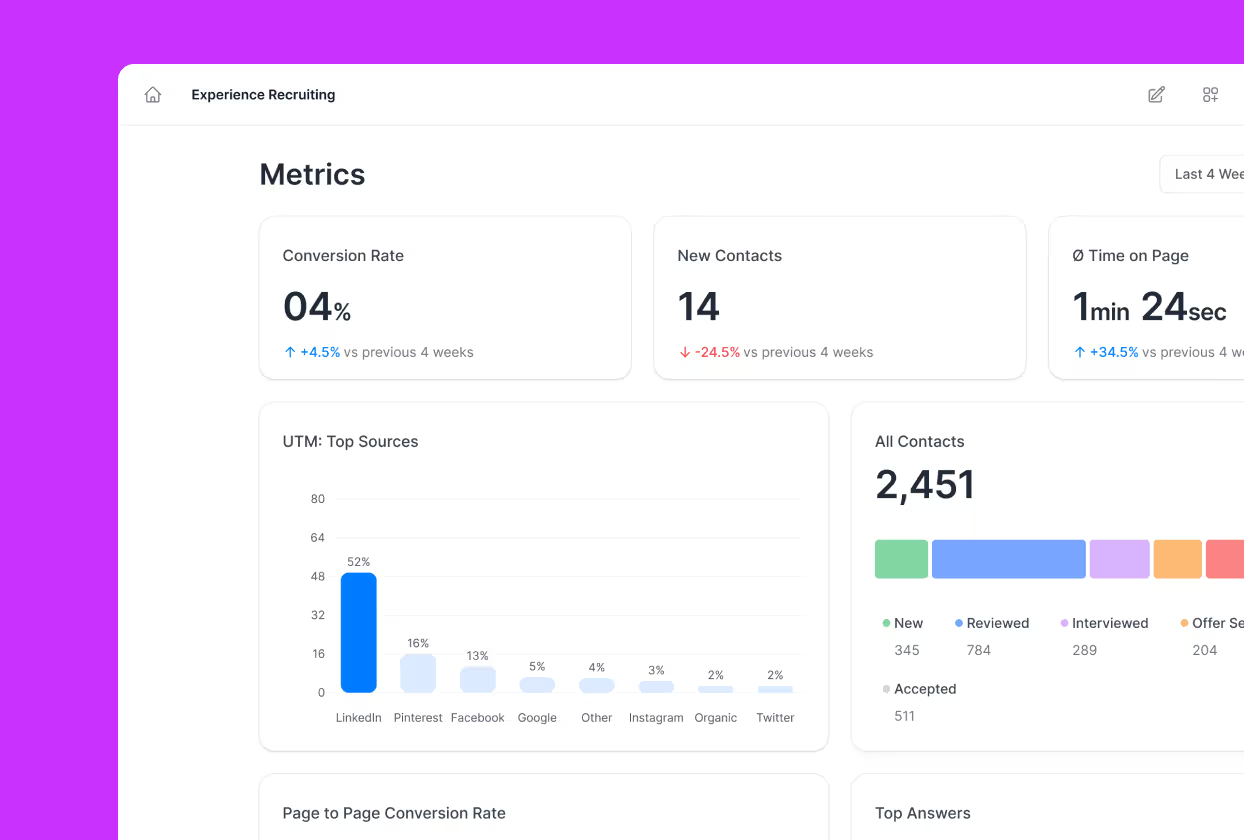
Perspective is a mobile-first funnel platform built to capture leads in exchange for your lead magnet. It combines an interactive funnel builder with built-in CRM, messaging, and analytics so the journey from ad click to magnet delivery happens in one place.
What makes it stand out
Most lead magnet tools force you to glue a basic form onto a landing page, then bolt on email tools to actually send the asset. Perspective replaces that stack with a vertical, mobile-native funnel that qualifies the lead through a few short steps and delivers the magnet automatically.
The builder doubles as a lead magnet generator, with ready-made templates for ebook downloads, checklists, quiz lead magnets, and assessment funnels.
How it compares
Compared with landing pages and basic optin forms, Perspective converts paid traffic at noticeably higher rates because it is built for thumb navigation rather than desktop scrolling.
It also goes further than legacy sales funnel software by combining capture and follow-up in one workflow, so you avoid juggling separate tools for the form, the email, and the CRM.
Key features
- Mobile-first funnel editor with templates for ebook, quiz, and assessment lead magnets
- Built-in CRM that stores every lead and their funnel responses
- Native email and SMS sequences for automated magnet delivery and nurture
- A/B testing to lift opt-in rates
- Native GA4, Meta Pixel, and UTM tracking for clean attribution
- AI-assisted setup and duplication to spin up new campaigns fast
Pricing snapshot
Perspective offers a 14-day free trial, then three flat-rate plans billed annually: Base at $47/month, Grow at $147/month, and Expand at $297/month. A custom Scale plan is available for larger teams that need more workspaces and live funnels. There is also a free plan available, which is limited to 1 funnel.
Pricing scales with funnel volume rather than contact count, so growing your list does not punish you.
Strengths
- Funnels load fast on mobile, protecting conversion from paid social
- Templates and AI shortcuts get a campaign live in around 30 minutes
- Built-in CRM and messaging replace several tools in the typical stack
- Clear analytics from ad click through to magnet delivery
Limitations
• Focused on funnel creation and lead capture, not on being an enterprise marketing cloud
Use case
Best for teams that want their ad traffic to actually become leads, with the magnet delivered automatically. Ideal for paid social, agency clients, and lead-gen teams that care about mobile conversion rates.
Want to see what this looks like in practice? Here is how real customers use Perspective to drive results.
The fastest way to judge a lead magnet platform is to run real traffic through it.
Next step: spin up a Perspective funnel for your own lead magnet and see the conversion rate for yourself.

2. Canva
At a glance
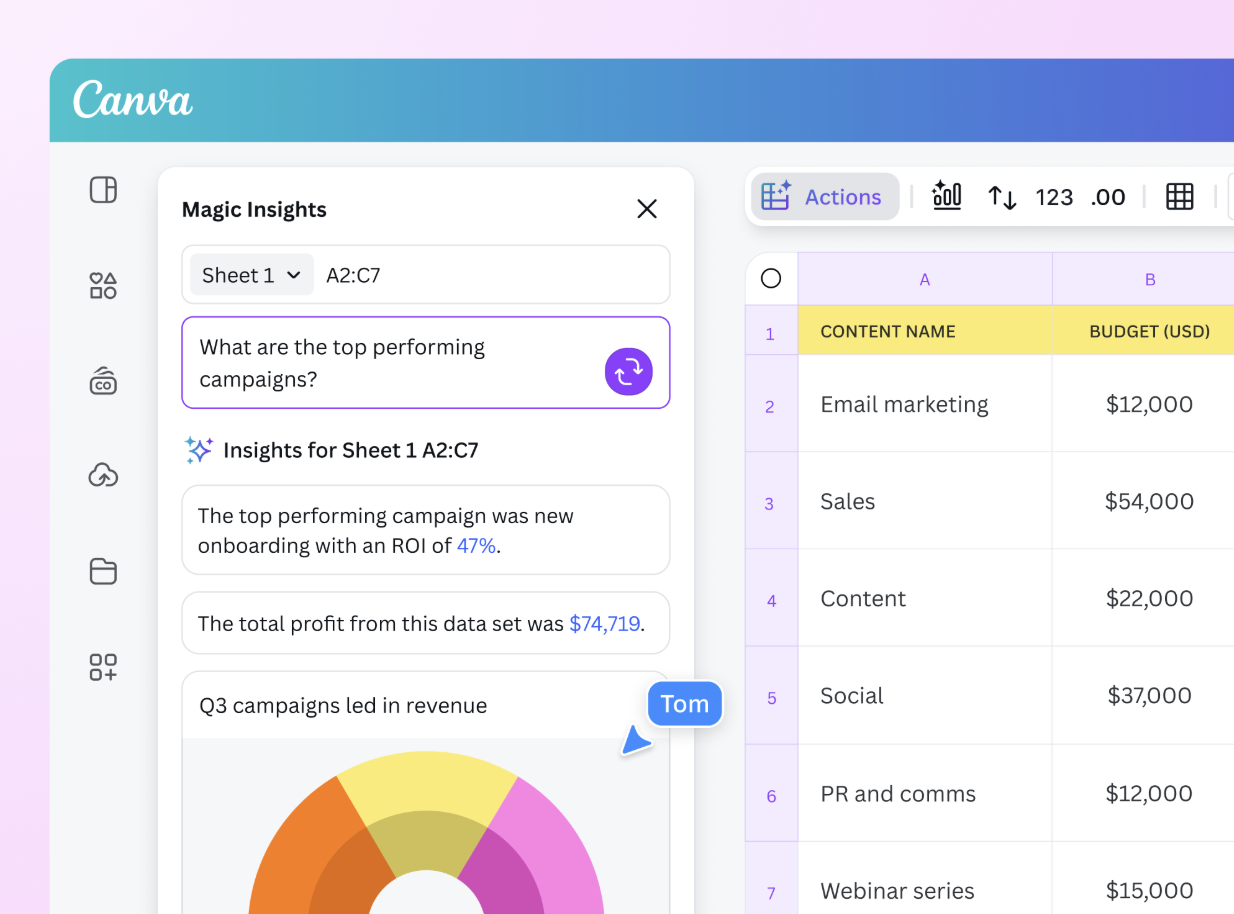
Canva is a drag-and-drop design tool that produces the visual lead magnet itself. Marketers use it to design PDFs, ebooks, workbooks, social templates, and printables.
Key features
- Drag-and-drop editor with thousands of lead magnet templates
- Brand kit for logos, fonts, and color palettes
- Magic Resize for repurposing one design across formats
- PDF export with custom dimensions
Pricing snapshot
Canva has a free plan with thousands of templates available. Canva Pro costs around $15/month per user and unlocks brand kits, more templates, and background removal. Teams plans start at around $10/user/month with shared assets.
Strengths
- Templates cover most common lead magnet formats
- Cloud editing keeps the team working from one source file
- Export quality is fine for digital downloads
Limitations
- No lead capture or delivery features
- PDFs sit on Canva, not on your site, until you host them
- Heavy designs can slow the editor down
Use case
Canva is most often used by teams handling the design step of the magnet itself, particularly PDFs, ebooks, and printables. Lead capture, file delivery, and follow-up all live outside the product.
3. ConvertKit (Kit)

At a glance
ConvertKit, now called Kit, is an email platform built for creators. Newsletter writers, course creators, and coaches use it to deliver lead magnets and run nurture sequences.
Key features
- Visual automation builder for delivery and follow-up
- Tagging and segmentation tied to subscriber actions
- Hosted optin forms and basic landing pages
- Creator commerce for selling digital products
Pricing snapshot
Kit has a free plan up to 10,000 subscribers with limited automations. Creator starts at $25/month and unlocks visual automations and integrations. Creator Pro starts at $50/month with extra reporting and team access.
Strengths
- Tagging model fits creator workflows
- Automations are visual and quick to set up
- Deliverability is reliable across content categories
Limitations
- Form and landing page styling options stay basic
- Free plan blocks most automation flows
- Reporting depth lags behind enterprise email tools
Use case
Kit's user base skews to creators running magnet delivery and nurture entirely from email. Interactive funnels, lead qualification through forms, and CRM functionality all sit elsewhere.
4. MailerLite

At a glance
MailerLite is an email tool with a basic landing page builder bundled in. Solo founders and small teams use it to collect emails, send the magnet, and run simple welcome sequences.
Key features
- Drag-and-drop email and form builder
- Templates for landing pages, popups, and signup forms
- Automation for tag-on-signup and welcome series
- A/B testing on subject lines and email content
Pricing snapshot
MailerLite has a free plan up to 1,000 subscribers and 12,000 monthly emails. Growing Business starts at around $10/month and adds more automations and unlimited sends. The higher tier starts at around $20/month with custom HTML editor and priority support.
Strengths
- Editor is approachable for non-technical users
- Forms and landing pages live alongside the email tool
- Quick wins for common flows like lead magnet delivery and welcome sequences
Limitations
- Landing pages are basic and not mobile-optimized for paid traffic
- Free plan applies MailerLite branding to every page
- Automation depth trails specialist tools
Use case
MailerLite is typically deployed by small teams running low-traffic email campaigns with a simple capture form bundled in.Multi-step funnels, deep lead qualification, and a full CRM live in other tools.
5. Designrr
At a glance
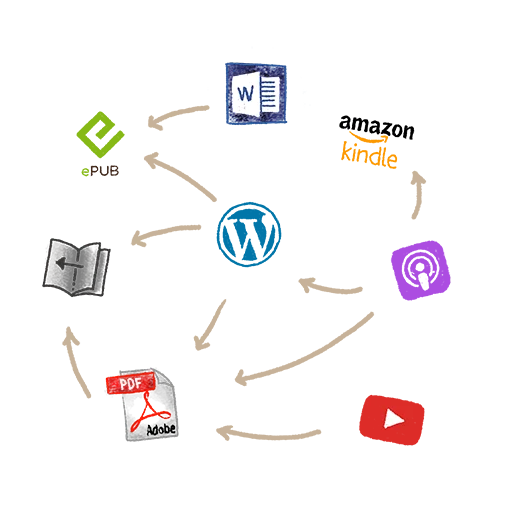
Designrr turns existing content into PDFs, ebooks, and flipbooks. Content teams use it to repackage blog posts and articles into downloadable lead magnets.
Key features
- Import from URL, Word, Google Docs, and podcast transcripts
- Templates for ebooks, lead magnets, and reports
- Cover designer with stock images and branding
- Embed and download options for hosting
Pricing snapshot
Designrr starts at around $29/month for the Standard plan, with higher tiers unlocking more imports, templates, and resale rights. There is no free plan, only a 7-day trial. Lifetime deals appear on the site occasionally.
Strengths
- Fast import flow saves design time
- Output works for ebooks and longer-form magnets
- Cover styles work without manual design
Limitations
- Editor feels dated compared with newer design tools
- Output flexibility narrows on more visual content
- No lead capture, delivery, or CRM features
Use case
Designrr's typical buyer already has written content and needs to repackage it into PDFs at speed. Lead capture, asset delivery, and post-download measurement need separate tools.
6. Beacon

At a glance
Beacon is a lead magnet creator focused on PDFs, checklists, and ebooks. Bloggers and email marketers use it for branded download assets.
Key features
- Templates for ebooks, checklists, workbooks, and resource libraries
- Resource library hosting for gated content
- Pop-up and inline form integrations
- Connections to common email platforms
Pricing snapshot
Beacon has a free plan with limited templates and Beacon branding. Pro starts at around $19/month and removes branding while adding more templates. Plus starts at around $39/month with unlimited assets and team access.
Strengths
- Library hosting keeps every magnet in one place
- Templates suit common lead magnet types
- Integrations cover most major email platforms
Limitations
- Editor is rigid compared with general design tools
- Forms and analytics are basic
- No funnel logic, A/B testing, or built-in CRM
Use case
Beacon shows up most often with teams whose lead magnet is a PDF that needs light hosting alongside the file itself. Funnel logic, lead qualification, and dedicated capture functionality are not part of the platform.

7. OptinMonster

At a glance
OptinMonster is a popup and inline form tool that bolts onto an existing site. Site owners use it to add lightboxes, slide-ins, and exit-intent overlays.
Key features
- Popup, slide-in, sticky bar, and inline form types
- Exit-intent and scroll-based triggers
- Page-level targeting and visitor segmentation
- Integrations with major email platforms
Pricing snapshot
OptinMonster starts at around $9/month on the Basic plan billed annually. Plus is $19/month and adds page-level targeting. Pro is $29/month and unlocks exit-intent triggers, with higher tiers for agencies.
Strengths
- Trigger options are flexible
- Targeting rules cover most page scenarios
- Templates ship in many formats
Limitations
- Sits on an existing site rather than running as a standalone funnel
- No magnet hosting or delivery built in
- Pricing rises fast at higher visitor volumes
Use case
OptinMonster is most commonly used by site owners who already have content traffic and want popups layered over existing pages. Magnet hosting, asset delivery, and standalone multi-step funnels happen elsewhere.
8. Mailchimp
At a glance
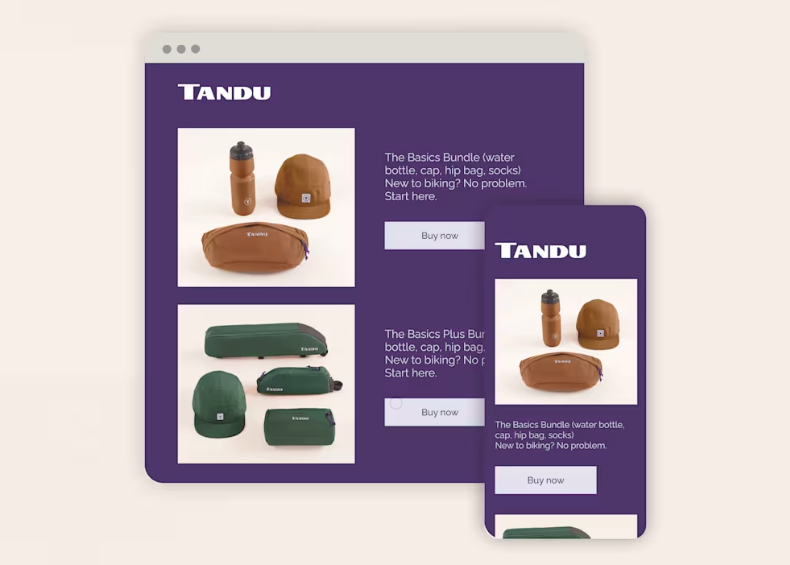
Mailchimp is an email platform with bundled landing pages and forms. Small businesses use it for general email marketing alongside lead capture.
Key features
- Email campaigns and basic automations
- Audience management with tags and segments
- Landing pages, popups, and signup forms
- Integrations across ecommerce and content tools
Pricing snapshot
Mailchimp has a free plan up to 500 contacts and 1,000 monthly sends. Standard starts at around $20/month and adds journey builder. The highest tier starts at around $350/month for larger lists.
Strengths
- Familiar interface for non-technical users
- Integrations cover most stacks
- Tag and segment leads inside the same audience tool
Limitations
- Pricing climbs steeply as the contact list grows
- Landing pages are basic and not mobile-optimized
- Automation depth lags newer email tools
Use case
Mailchimp's user base is mostly small businesses running general email programs to modest contact lists.Interactive funnels, in-depth lead qualification, and a dedicated CRM all require other tools.
9. HubSpot

At a glance
HubSpot is an all-in-one platform with CRM, forms, and content tools. Teams use it to centralize leads, contacts, and follow-up across departments.
Key features
- Free CRM with contact timelines and activity tracking
- Form builder, popups, and landing pages
- Email automation and workflow builder
- Reporting dashboards across marketing and sales
Pricing snapshot
HubSpot has a free CRM with limited form and email features. Marketing Hub Starter begins at around $20/month per seat. Professional begins at around $890/month and Enterprise at around $3,600/month for larger setups.
Strengths
- CRM ties every form fill to a contact record
- Reporting is consistent across hubs
- Templates cover most landing page types
Limitations
- Pricing escalates quickly above the Starter tier
- Free pages carry HubSpot branding
- Setup overhead is heavy for small teams
Use case
HubSpot is typically found in established teams centralizing CRM and lead capture in one platform across marketing and sales.Mobile-first funnel performance and paid-traffic conversion optimization sit outside its focus.

10. Notion
At a glance
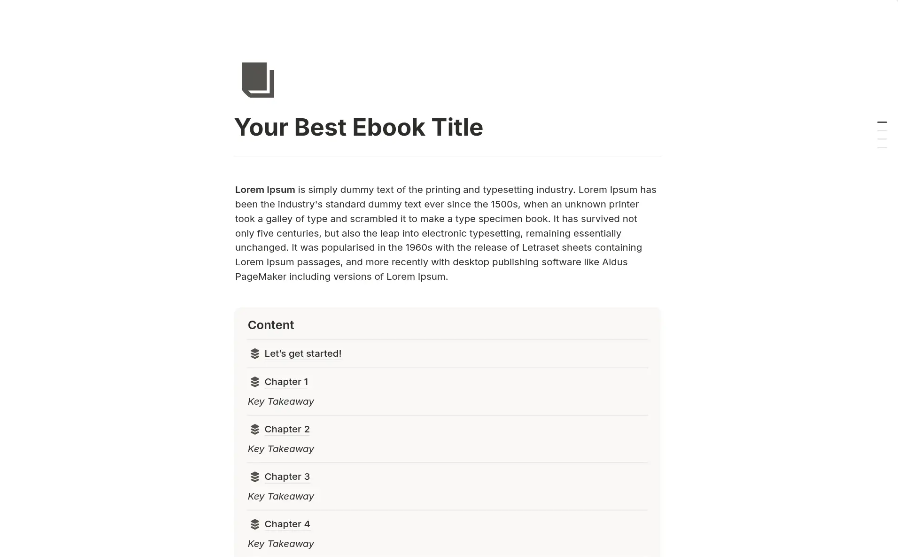
Notion is a collaborative workspace used to build template-based lead magnets. Operators and consultants use it for shared playbooks, toolkits, and interactive guides.
Key features
- Database and template-based pages
- Public sharing with view-only access
- Embedded forms and tools via integrations
- Notion AI for drafting copy and templates
Pricing snapshot
Notion has a free plan with unlimited blocks for individuals. Plus starts at around $10/user/month and adds more file uploads and integrations. Business starts at $15/user/month with private workspaces.
Strengths
- Template format suits operational lead magnets
- Sharing is fast and free for view-only access
- Built-in AI helps draft new templates quickly
Limitations
- Pages do not capture emails on their own
- Magnet delivery requires a separate email tool
- Branding control is minimal on shared pages
Use case
Notion fits best when the lead magnet itself is a template, toolkit, or interactive doc that lives natively as a page.Lead collection, file delivery, and any nurture flows all happen outside Notion.
11. Piktochart

At a glance
Piktochart is a visual content tool focused on infographics and reports. Marketers use it to produce data-led PDFs and visual lead magnets.
Key features
- Templates for infographics, reports, and presentations
- Chart and map components with data import
- Brand kit for fonts, colors, and logos
- PDF and PNG export options
Pricing snapshot
Piktochart has a free plan with watermarked exports. Pro starts at around $14/month and removes the watermark while adding more templates. Business starts at around $24/user/month with team features.
Strengths
- Chart components handle data well
- Templates cover infographic and report formats
- Output is print-ready for visual downloads
Limitations
- No lead capture or delivery features
- Editor is narrower than general design tools
- Free plan watermark blocks brand-quality exports
Use case
Piktochart is most commonly used when the lead magnet is a data report, infographic, or visual asset.The form, the delivery, and anything that happens after the download all sit in other tools.
12. Brevo

At a glance
Brevo is an email and SMS platform with bundled forms and automation. Smaller teams use it for budget-friendly multichannel sends.
Key features
- Email, SMS, and WhatsApp sends in one platform
- Marketing automation with visual builder
- Forms and basic landing pages
- Transactional email API
Pricing snapshot
Brevo has a free plan with 300 emails per day. Starter begins at around $9/month with unlimited contacts and higher daily sends. Business begins at around $18/month with marketing automation.
Strengths
- Pricing is based on sends rather than contacts
- Multichannel sends are bundled in
- Transactional and marketing emails share one platform
Limitations
- Form and landing page design options stay basic
- Free plan applies daily send caps that block bigger campaigns
- Deliverability can require warm-up effort
Use case
Brevo's typical user is a smaller team that needs email and SMS sends together on a tighter budget.Mobile-first funnels, multi-step lead capture, and a full CRM are not part of the product.
13. ActiveCampaign

At a glance
ActiveCampaign is an email automation platform with light CRM features. Marketers use it for lifecycle email flows and segmented sends.
Key features
- Visual automation builder with branching logic
- Segmentation based on tags, behavior, and custom fields
- Sales CRM module for pipeline tracking
- Forms and basic landing pages
Pricing snapshot
ActiveCampaign has no free plan, only a 14-day trial. Lite starts at around $15/month for up to 1,000 contacts. Plus starts at around $49/month and Professional at around $79/month with attribution and predictive sending.
Strengths
- Automation builder handles complex branching
- Segmentation is flexible across attributes
- CRM module covers basic deal tracking
Limitations
- Pricing scales steeply with contact count
- Form and page design options stay simple
- Setup curve is heavier than starter email tools
Use case
ActiveCampaign is most often deployed by teams running multi-step nurture flows after the lead has already been captured.Mobile-first lead magnet funnels and dedicated capture functionality sit in different tools.

14. Hello Bar

At a glance
Hello Bar is a popup and notification bar tool. Site owners use it for header bars, exit popups, and quick announcement-style captures.
Key features
- Notification bar, popup, modal, and slider formats
- Exit-intent triggers and scroll rules
- A/B testing on copy and design
- Integrations with common email platforms
Pricing snapshot
Hello Bar has a free plan with Hello Bar branding and a low monthly view limit. Growth starts at around $29/month and removes branding while adding higher view limits. The higher tier starts at around $49/month with team features.
Strengths
- Bar and popup setup is quick
- Templates cover the common capture formats
- Integrations with major email tools
Limitations
- Sits on an existing site, not as a standalone funnel
- No magnet hosting or delivery
- View-based pricing climbs at higher traffic volumes
Use case
Hello Bar is generally used by site owners with existing traffic who want quick announcement-style captures sitting over their pages.Magnet hosting, asset delivery, and multi-step flows are absent from the product.
15. Thrive Leads
At a glance
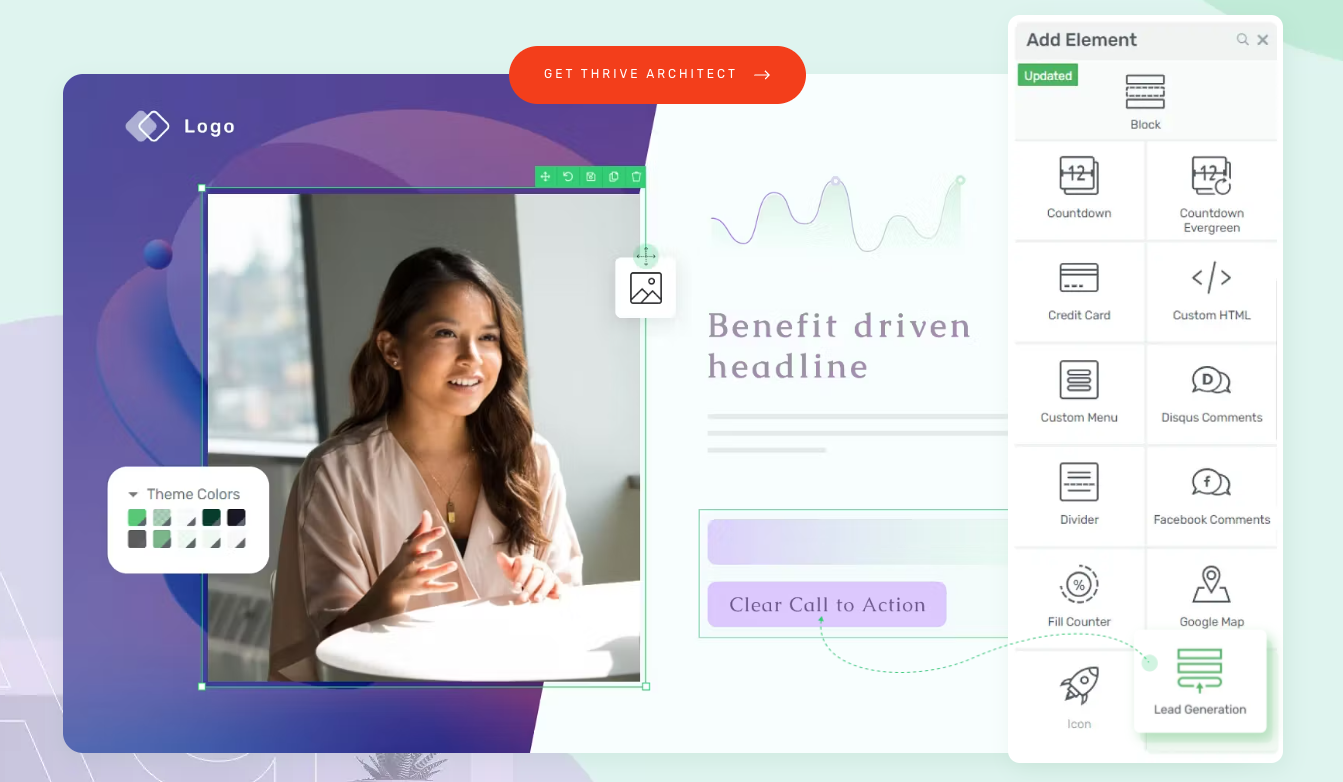
Thrive Leads is a WordPress plugin for optin forms and A/B testing. WordPress site owners use it for popup, ribbon, and inline capture inside their existing site.
Key features
- Optin form types including popup, ribbon, slide-in, and inline
- A/B testing on every form variation
- Trigger rules based on time, scroll, and exit
- Reporting on conversion rates per form
Pricing snapshot
Thrive Leads is part of Thrive Suite at around $299/year for unlimited sites. There is no free plan, only a 30-day refund window. The license covers Thrive Leads alongside other Thrive plugins.
Strengths
- A/B testing is built into every form type
- Form variety covers most on-site capture needs
- One license unlocks the rest of Thrive Suite
Limitations
- Only works on self-hosted WordPress sites
- No magnet hosting or delivery flows
- Updates require maintaining the plugin alongside WordPress
Use case
Thrive Leads' customer base is mostly WordPress site owners building layered on-site capture inside their own theme.It only runs inside WordPress, and magnet hosting and nurture flows both happen in other tools.
16. WPForms
At a glance
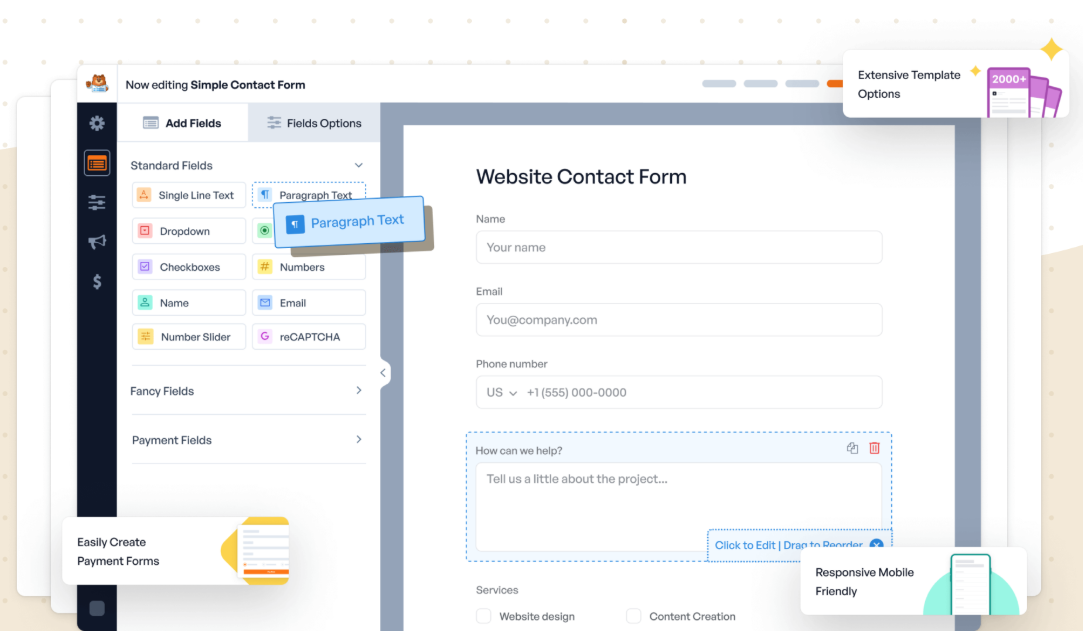
WPForms is a WordPress form plugin used for self-hosted lead forms. Site owners use it to add inline, multi-step, or conditional forms inside posts and pages.
Key features
- Drag-and-drop form builder inside WordPress
- Conditional logic based on previous answers
- Integrations with email and CRM platforms
- Spam protection with reCAPTCHA and hCaptcha
Pricing snapshot
WPForms has a free Lite version inside the WordPress repository. Pro starts at around $199/year and unlocks conditional logic and integrations. Elite starts at around $299/year with unlimited sites.
Strengths
- Builder is simple for WordPress admins
- Integrations cover common email and CRM tools
- Conditional logic is included from Pro upward
Limitations
- Only works on self-hosted WordPress sites
- No magnet hosting or delivery features
- Mobile experience depends on the underlying theme
Use case
WPForms is primarily used by WordPress admins who need a self-hosted form inside their existing posts and pages.Multi-step funnels, asset delivery, and a CRM are not part of what the plugin does.
17. Loom

At a glance
Loom is a screen recording tool for async video. Creators and consultants use it to deliver video lead magnets, walk-throughs, and video assessments.
Key features
- Browser, desktop, and mobile recording
- Viewer analytics including completion and drop-off
- Embed and link sharing options
- Comments and reactions on video timeline
Pricing snapshot
Loom has a free plan with up to 25 videos per person and 5-minute recording limits. Business starts at around $15/user/month with unlimited videos. Enterprise pricing is custom.
Strengths
- Recording flow is fast for short videos
- Viewer analytics show engagement and drop-off
- Embed and link sharing options keep videos accessible
Limitations
- No form, capture, or delivery features
- Free plan recording cap blocks longer training videos
- Videos sit on Loom until embedded elsewhere
Use case
Loom is most often used when the lead magnet itself is video content like a walkthrough or training session.Lead capture, asset delivery, and follow-up all sit outside the tool.
Essential features of lead magnet software
Lead magnet software has two jobs: capturing the lead and delivering the file without friction.
When you evaluate lead magnet software, look for a mobile-first capture form or funnel, automated delivery that fires the moment the lead opts in, and a CRM or list view that tracks every contact through their next step.
Strong platforms also include A/B testing, GDPR-friendly consent handling, and clean integrations with your ad and email tools so attribution stays intact. Most of the tools above leave gaps between the jobs; Perspective covers capture and delivery in one flow.
How to choose the right lead magnet software
Mobile is the first thing to check. Most paid traffic arrives there, and basic forms or desktop-style landing pages leak signups before anyone submits.
The second is what happens after the opt-in. The software should deliver and follow up in one place, or integrate cleanly with the email tool that does.
Perspective is built around exactly that workflow. A paid social campaign can run from ad click to follow-up email in one platform.
{{cta}}
FAQs: lead magnet software
What is lead magnet software?
Lead magnet software is a platform that captures contact details in exchange for a free resource, then delivers the resource and tracks the lead from there.
It usually combines a form or funnel, a delivery email, and a place to store the contact for follow-up.
What is the best lead magnet software?
Perspective is the best lead magnet software for teams that want their ad traffic to actually convert into leads.
It combines an AI-first funnel builder, automated magnet delivery, and built-in CRM and messaging in one workflow. This makes it effortless to capture and nurture each lead.
👉 To try it on your own traffic, start your 14-day free trial.
How do I set up a lead magnet?
Once you have the magnet, the setup comes down to two pieces: a form or funnel that captures the email, and an automated email that sends the file when someone opts in.
Perspective handles both, plus the follow-up after.
👉 To see it in action, start your 14-day free trial.
What features matter most in lead magnet software?
The features that matter most are mobile-first capture, automated delivery, and clean integrations with your email and ad platforms.
You also want a CRM that ties each contact to the magnet they downloaded, plus reporting on which sources actually turned into leads.
Why Perspective is the best lead magnet software
If you want lead magnet software that captures more leads from the same traffic and delivers the asset without extra tools, Perspective is for you.
It focuses on mobile speed, simple setup, and real conversion performance.
✔️ Launch funnels in minutes with an intuitive, AI-assisted builder
✔️ Mobile-first pages that load fast and convert
✔️ Built-in messaging, native email, and built-in CRM
✔️ Clear analytics with GA4 and pixel support
✔️ Automated magnet delivery and nurture in one workflow
✔️ Predictable pricing after the trial, starting at $47/month
Start your free trial of Perspective 👇